
Coming SEPTEMBER 2021
Make it easier for RFP Issuers to find and take the primary action for respective RFP stages.
Action buttons representing the most commonly taken action based on the RFP stage, are now prominently displayed in the header next to the Group name and RFP action menu.
RFP Workspace
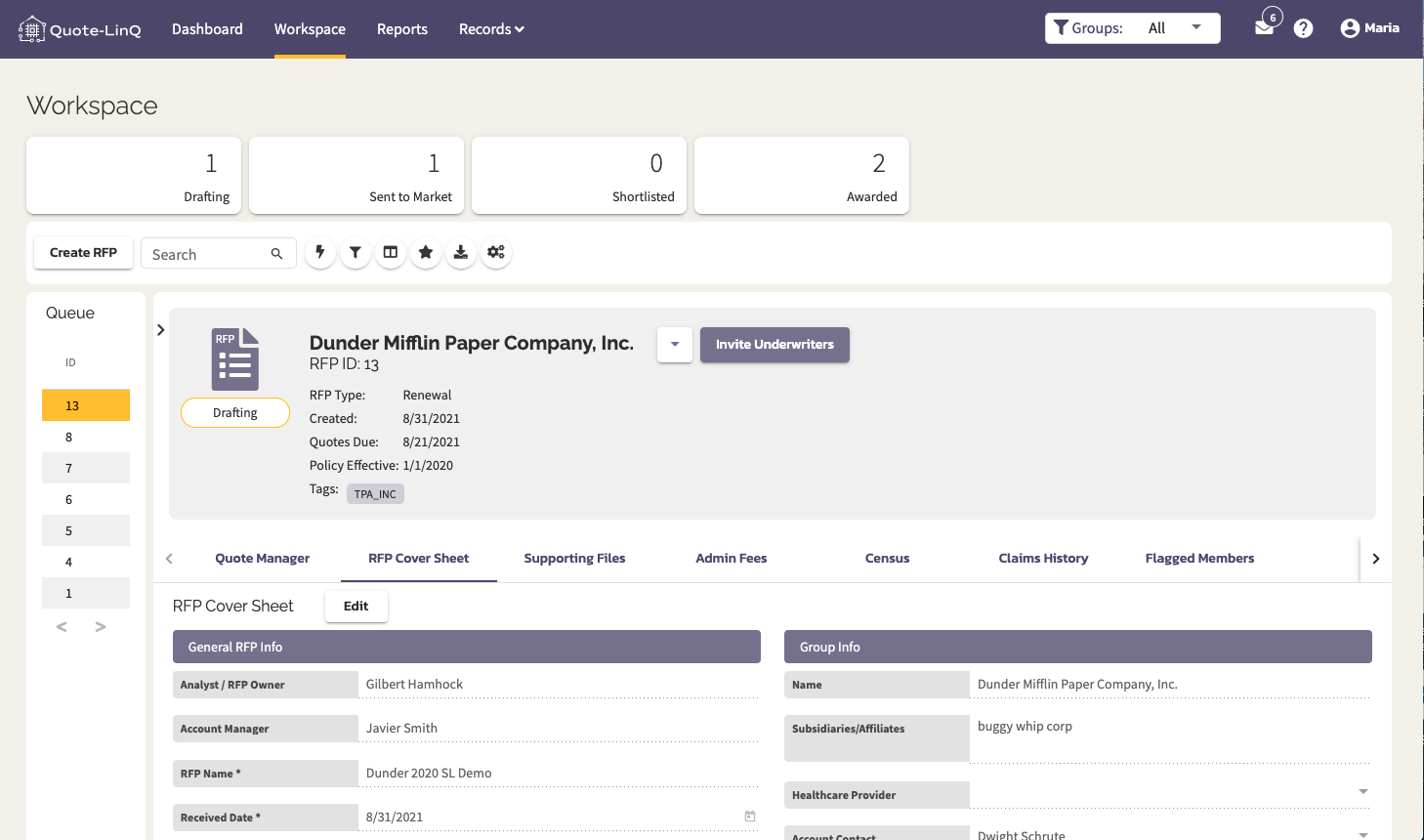
When an RFP is in the "Drafting" stage, an "Invite Underwriters" button will be present. It will be purple indicating it's the next primary action.
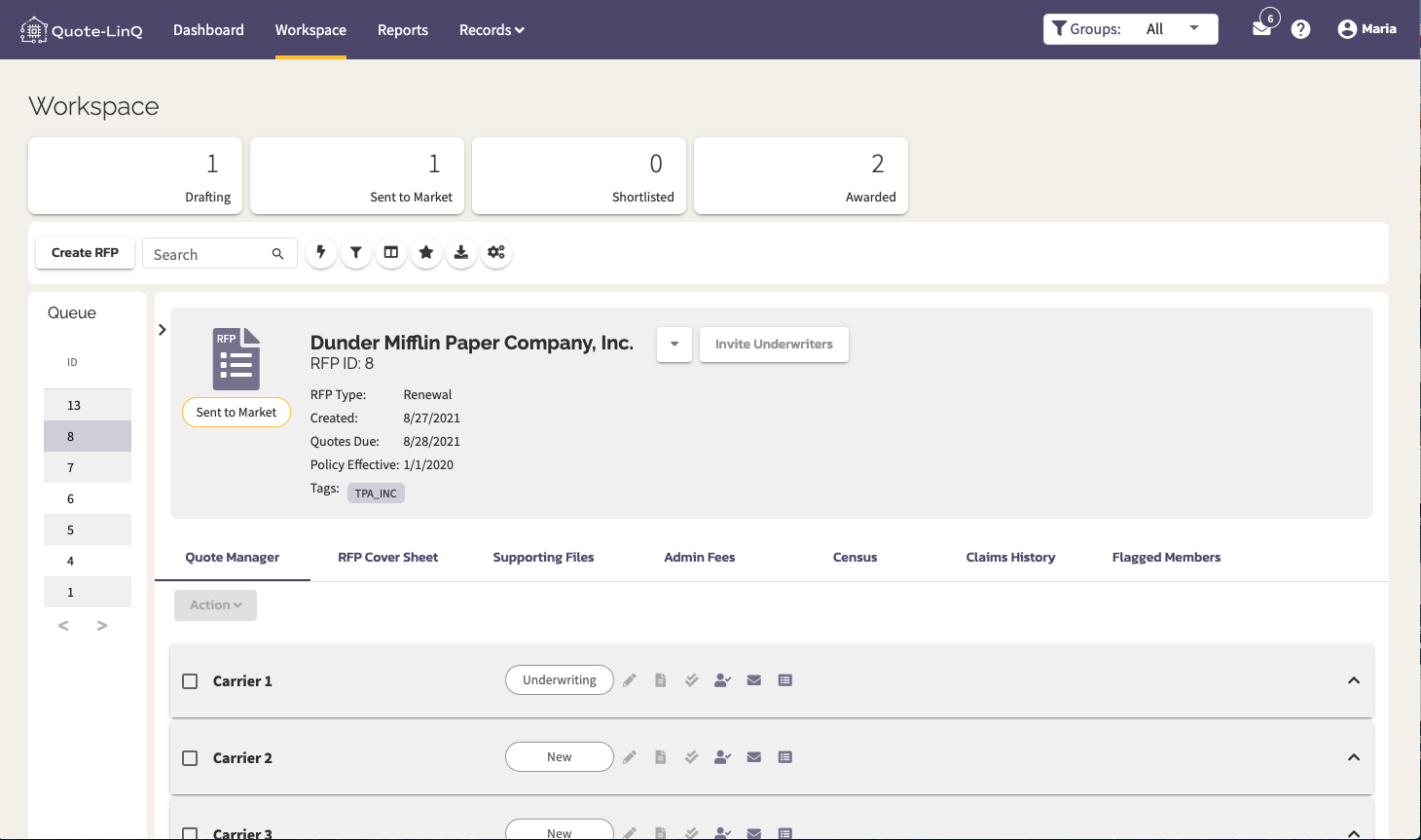
When an RFP is in the "Sent to Market" or "Shortlist" stage, the "Invite Underwriters" button will still be present because it's still commonly used during these stages, however, it's now white because it's no longer the next primary action.
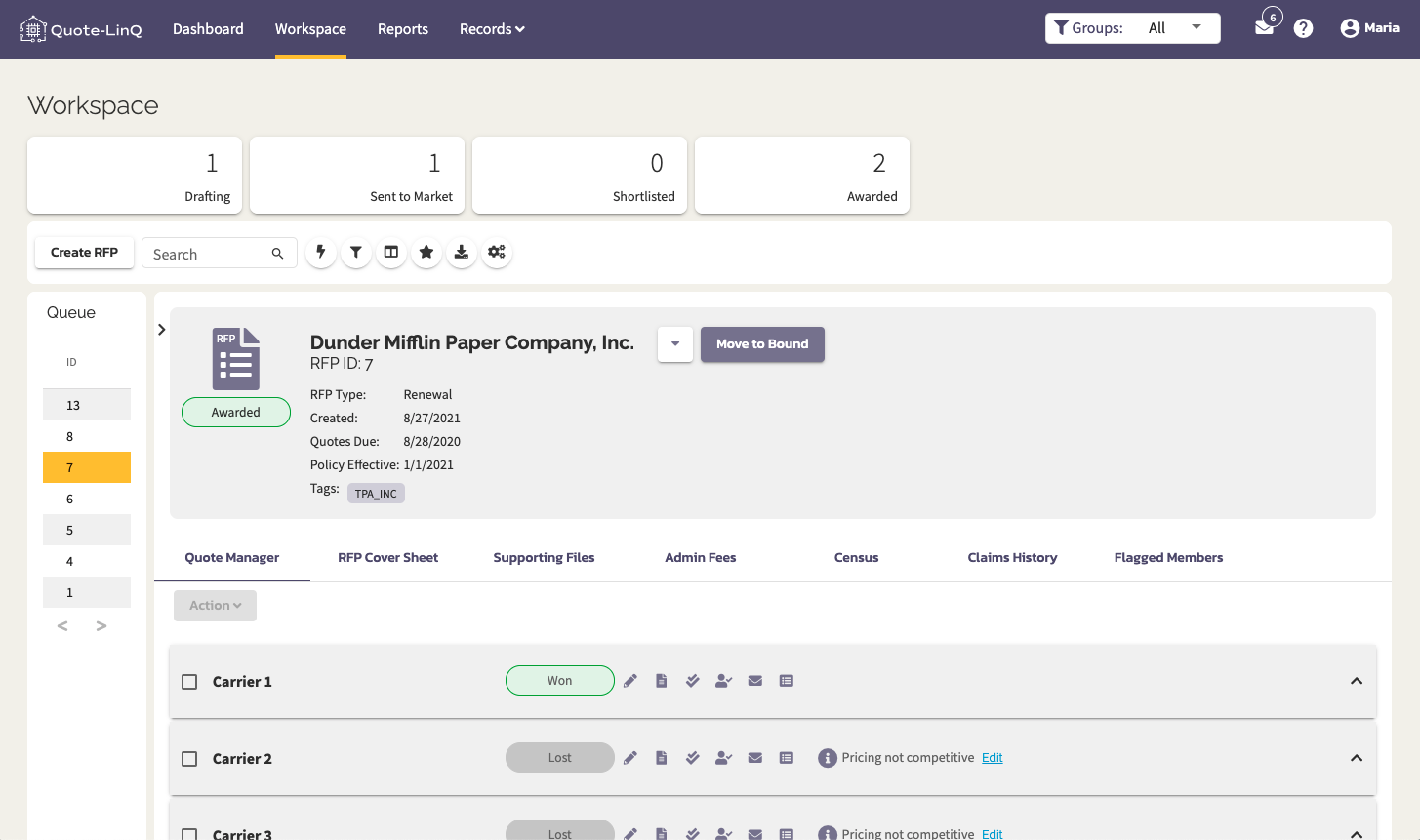
When an RFP is in the "Awarded" stage, the "Invite Underwriters" button is replaced with a "Move to Bound" button. It will be purple indicating it's the next primary action.
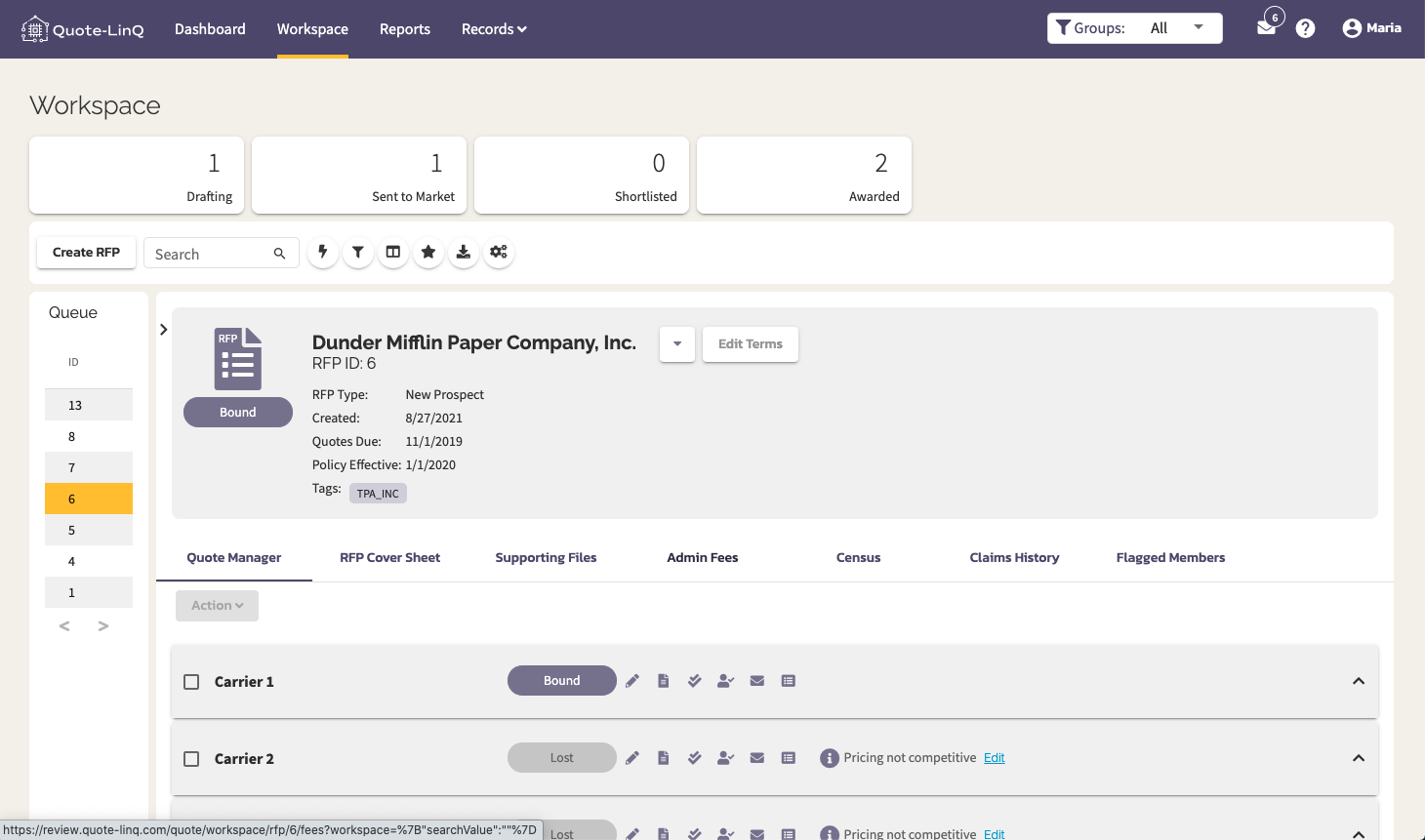
When an RFP is in the "Bound" stage, the "Move to Bound" button is replaced with an "Edit Terms" button.
Comments
0 comments
Please sign in to leave a comment.