
Coming SEPTEMBER 2021
Reduce time and effort to issue RFP renewals by providing the ability to copy files and current terms from a previous RFP.
Create RFP Wizard
Step 1: Select a group
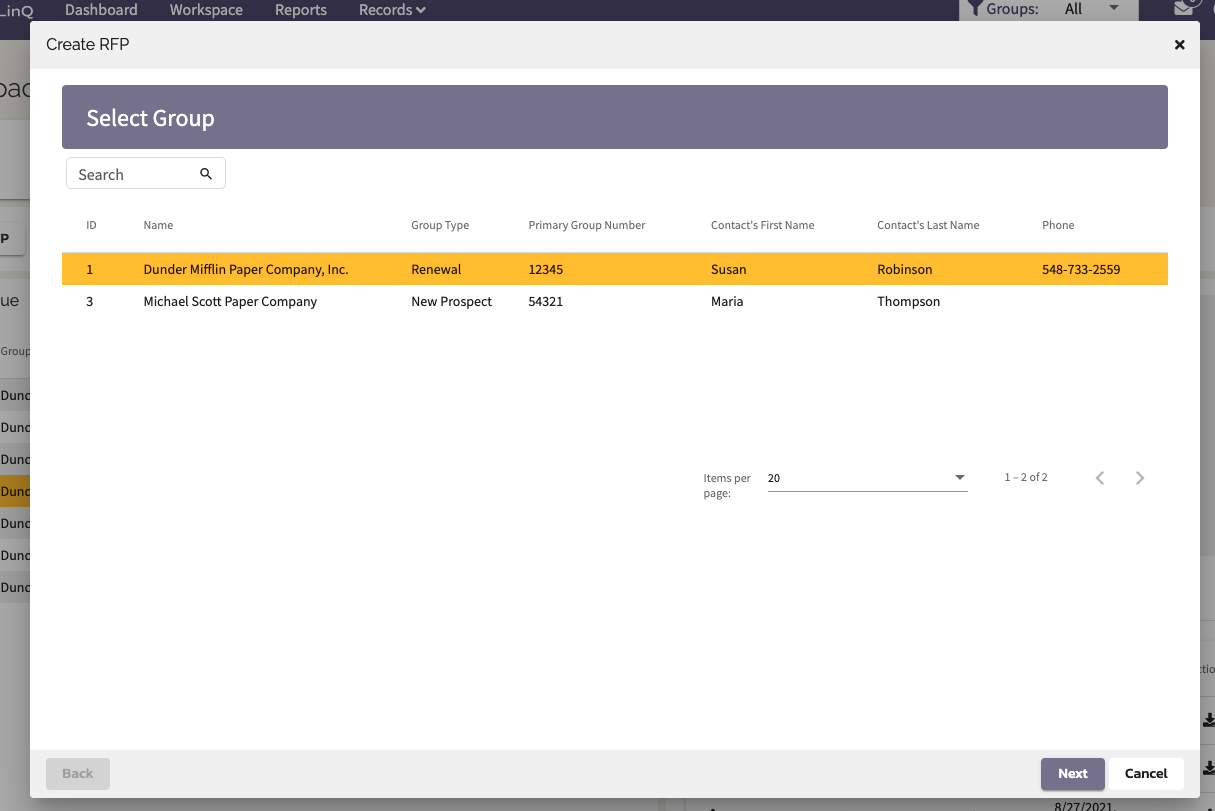
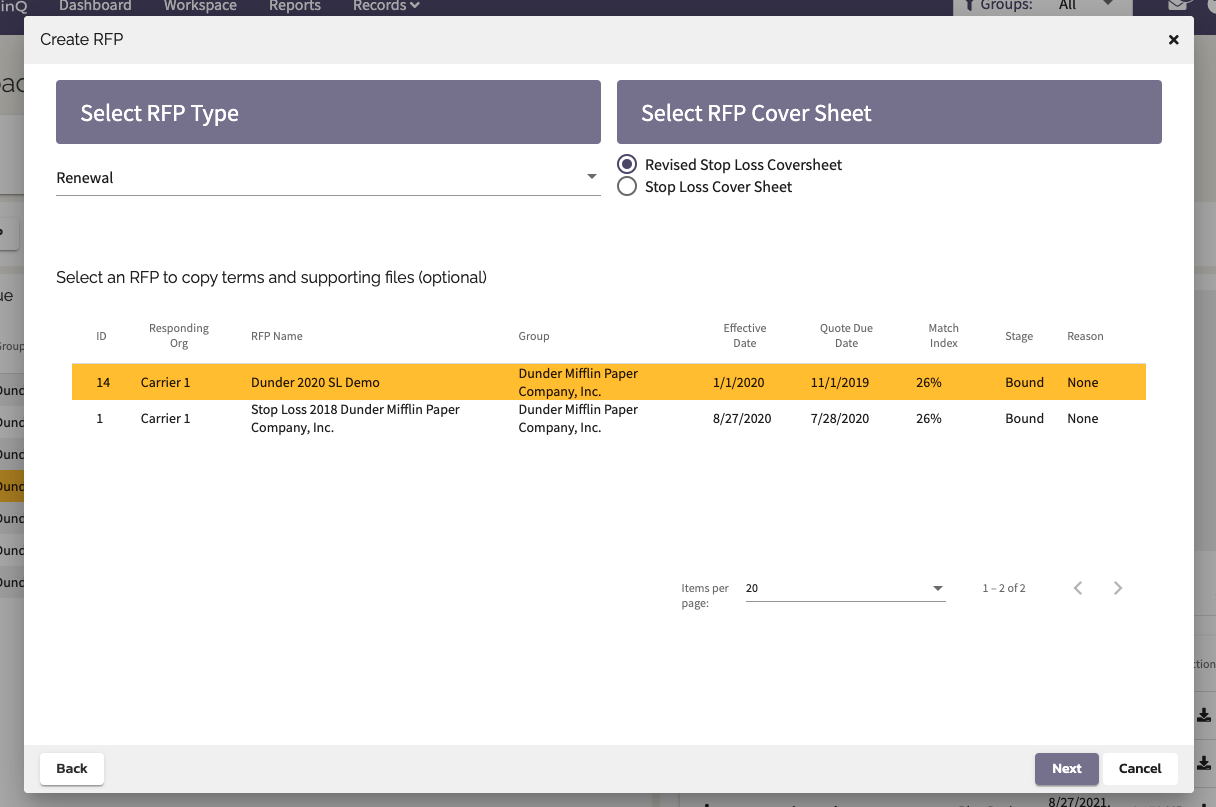
Step 2: If your RFP Type is "Renewal" then a table will appear with "Bound" and "Closed" RFPs for that group. Select a desired RFP to copy and hit next.
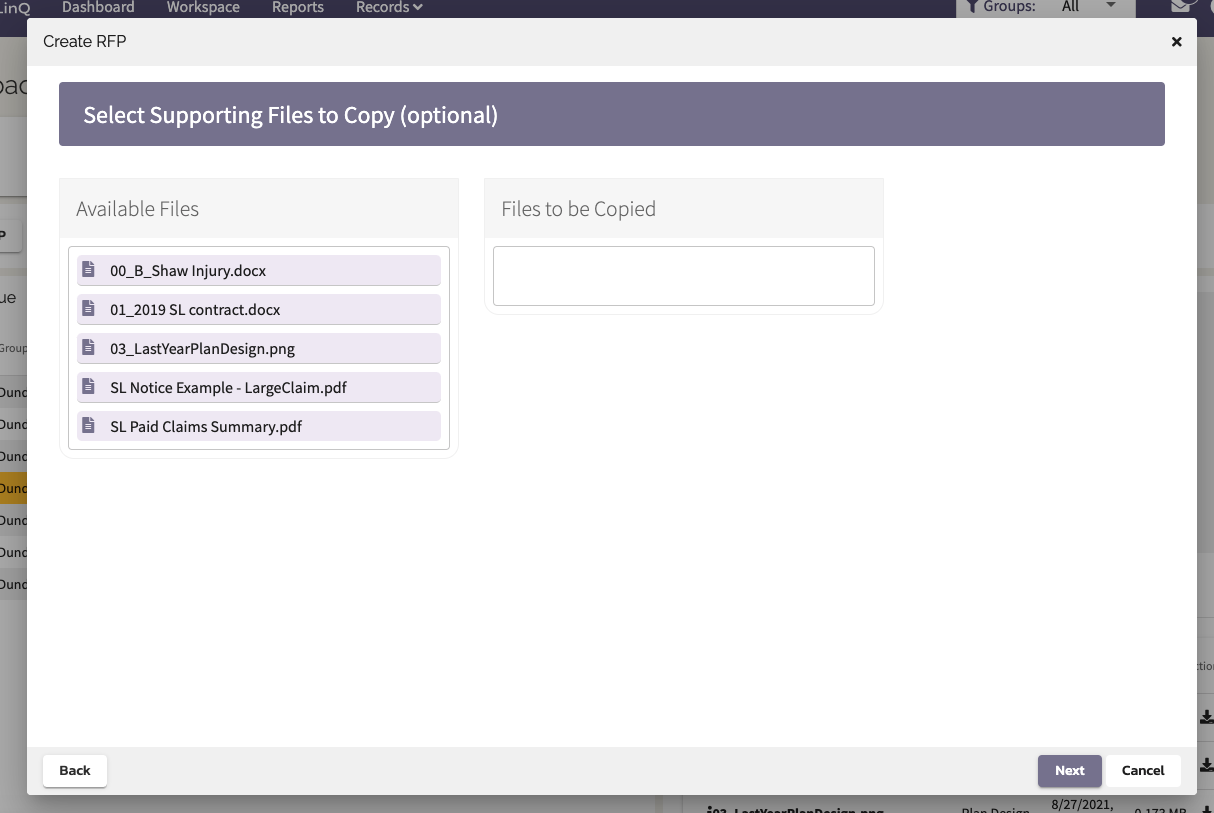
Step 3: Drag and drop available files to the "Files to be Copied" box on the right. Hit next.
Step 4: Complete your RFP Cover Sheet and hit create. Note that the following fields may be auto-populated with values from the Bound Quote Response or Sold Sheet.
| Current Policy Details | Current Rates/Factors |
| Funding Type | Spec EE Rate |
| Current SL Carrier | Spec EE + Spouse Rate |
| Spec Deductible | Spec EE + Children Rate |
| Spec Contract Type | Spec Family Rate |
| Spec TLO (Y/N) | Spec TLO (Rate) |
| Agg Spec Deductible | Agg EE (Composite) Rate |
| Agg Contract Type | Agg EE + Spouse Rate |
| Agg Coverage | Agg EE + Children Rate |
| Agg Maximum | Agg EE + Dependent Rate |
| Agg Accommodation (Y/N) | Agg Family Rate |
| Agg EE (Composite) Factor | |
| Agg EE + Spouse Factor | |
| Agg EE + Children Factor | |
| Agg Family Factor |
Comments
0 comments
Please sign in to leave a comment.