
Coming JULY 2021
Provide clear communication to issuers as to why Quotes are marked "Declined"
- Select from a predefined list of reasons when a Quote is marked as "Declined".
- Include addition details with the decline reason which is shared with the issuer.
- View declined reasons in the Workspace and Quote Records
Declining to Quote with Reasons
When a Quote Response is marked "Declined", the user will be required to select from a list of reasons and may also provide additional details. This information will be displayed for both the responding and issuing parties for analysis and reporting. Note that users will only have access to reasons for their organization's RFP or Quote Response respectively.
Carrier / MGU
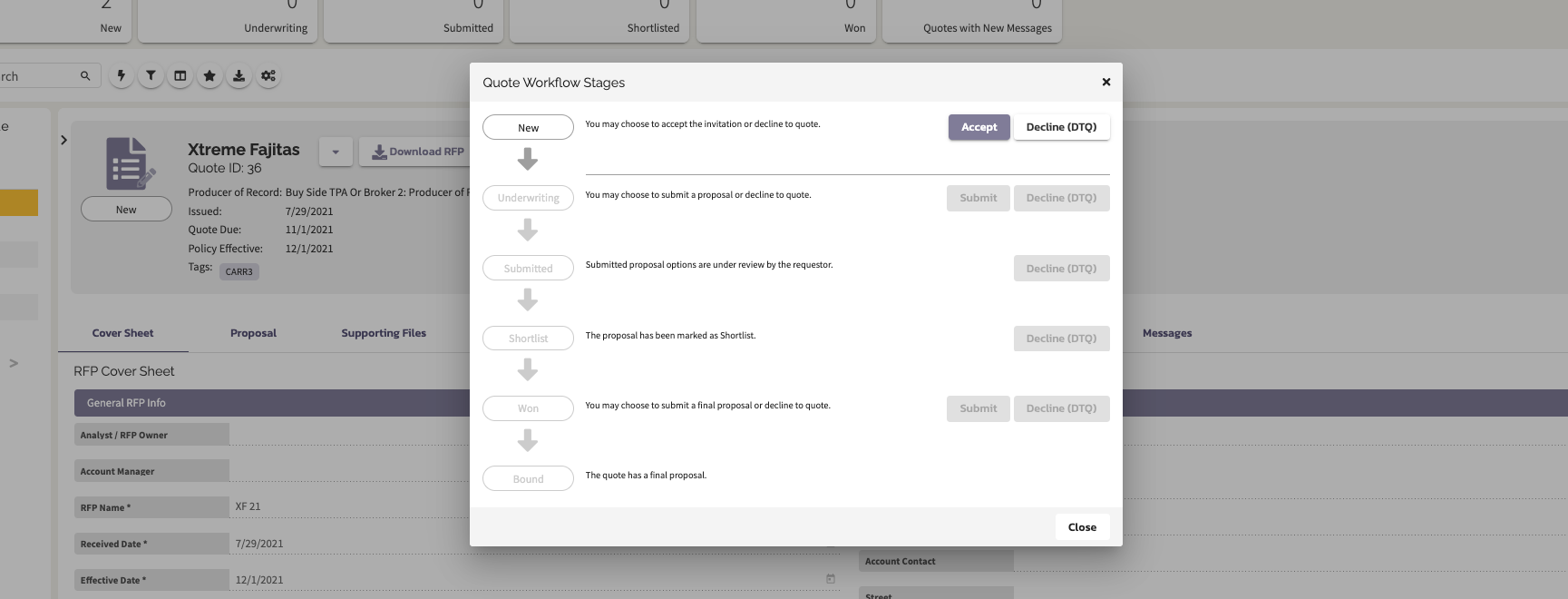
Select "Decline (DTQ)".
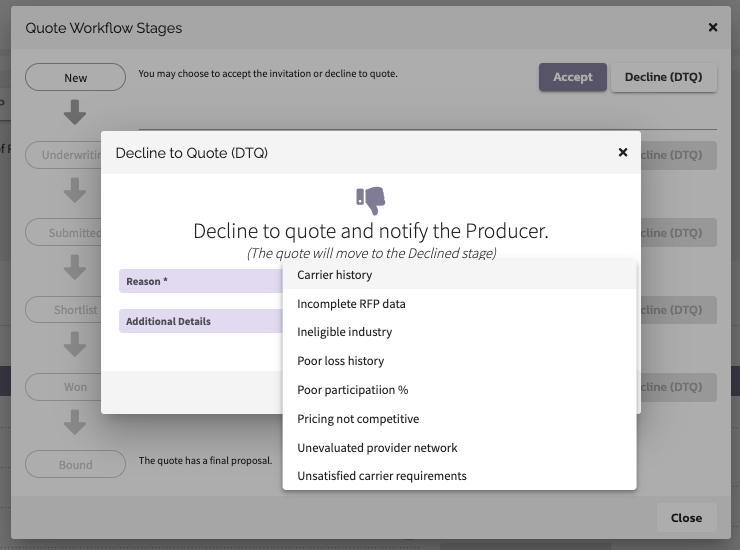
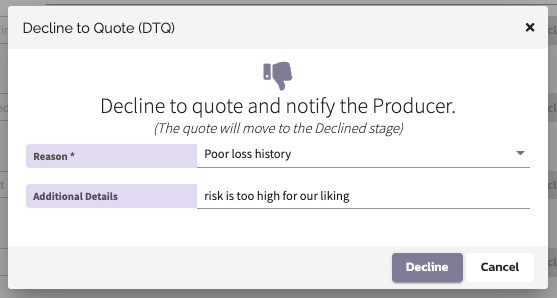
Select the reason for declining. Add additional details as desired.
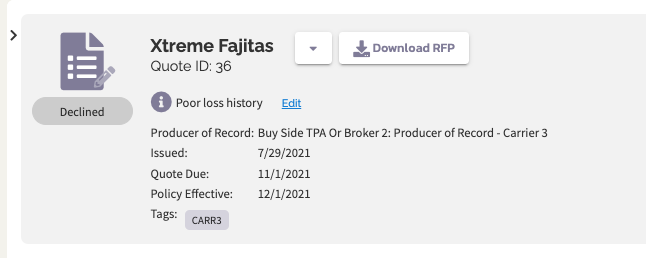
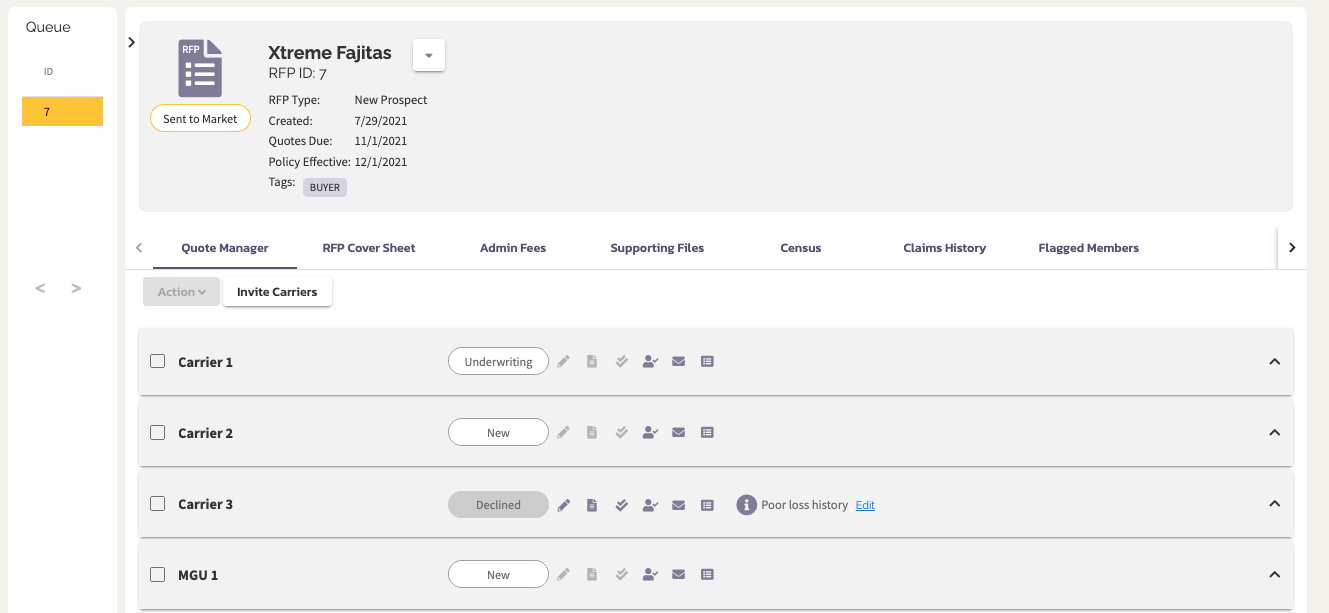
View and edit the declined reason next to the Info icon in the Display Card Header.
Broker / TPA
View and edit the declined reason in the Quote Manager using Info icon in the Display Card Header.
Comments
0 comments
Please sign in to leave a comment.