
Opportunity
Currently, Quote-LinQ users receive notifications across all RFPs based on their Notification Preferences (e.g. Supporting File changes, Stage Changes, Messages, etc.). In many cases this is overkill as most users have a select group of RFPs that they actually care about. By delivering the Tags solution, we can reduce the “noise” and help users easily focus their valuable time on what’s important.
Solution
What’s a Tag?
Tags are keywords or phrases that can be applied to users, RFPs, and Quotes. Tags can be useful to help organizations organize or segment information in a way that is uniquely meaningful to them.
How Ringmaster is Leveraging Tags
Ringmaster is layering a new Tags feature on top of the notifications function. The fundamental change is that user Notification Preferences will only be employed if there is a matching tag between the user and the RFP or Quote.
How to Employ
The combination of Tags & Notification Preferences results in endless possibilities providing much flexibility. The trade off is that it can be complex. To try to keep things as simple as possible, ask yourself the following questions when configuring:
-
What Tags do I (or desired users) have?
-
What Notification Preferences do I (or desired users) have?
-
What Tag does the RFP or Quote have?
-
When (or at what point) should a Tag be on an RFP or Quote?
Assume the following Preference:
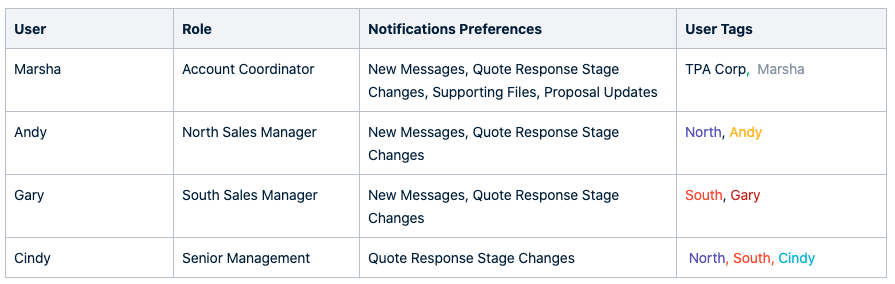
Examples
Note that users will only be Notified when Tags and the Event match the user Preferences.
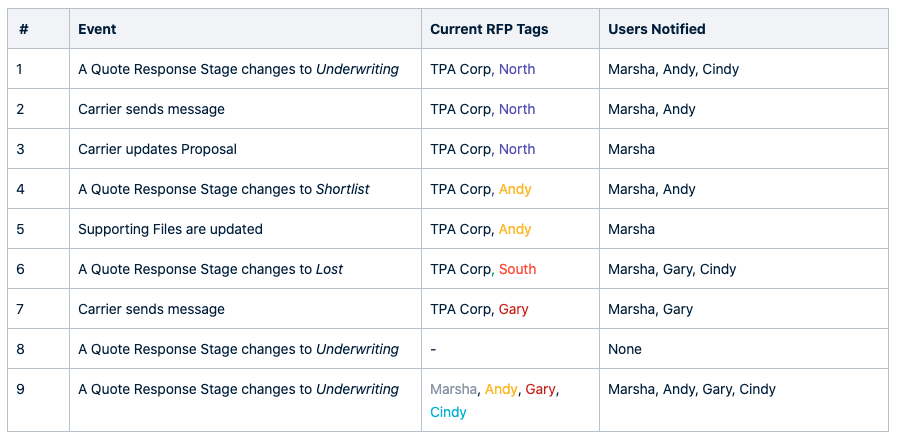
Additional Notes:
-
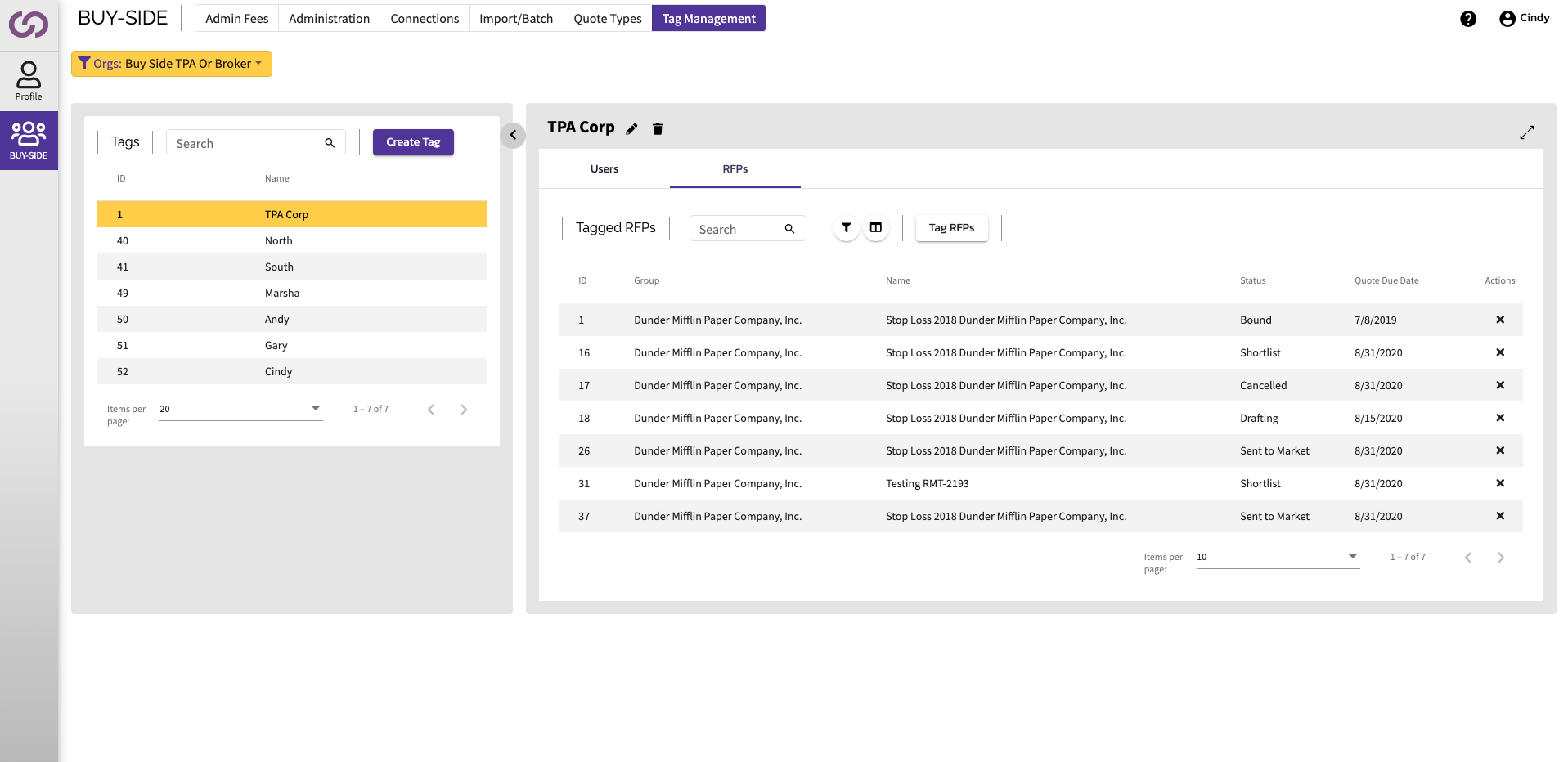
Tags are created and managed at the Organization level.
-
E.g. If a TPA issues an RFP that has the Tag “North” on it, the Quote Response that the Carrier uses will not inherit that tag. The Carrier organization has it’s own Tags that it manages independently.
-
-
Tags can be created, edited, and deleted at the Org.
-
Tags can be applied to users and removed from users by System and Org Admins
-
All RFPs and Quote Responses start with a default Org Tag with the option to add or remove.
-
When users get created they will have the same default Org Tag applied to them. This can be removed or added by an Admin.
-
Any user can add or remove tags from an RFP or Quote Response
-
An RFP and Quote Response can have any number of tags or none at all. It’s completely configurable.
Sys & Org Admin - Tag Management
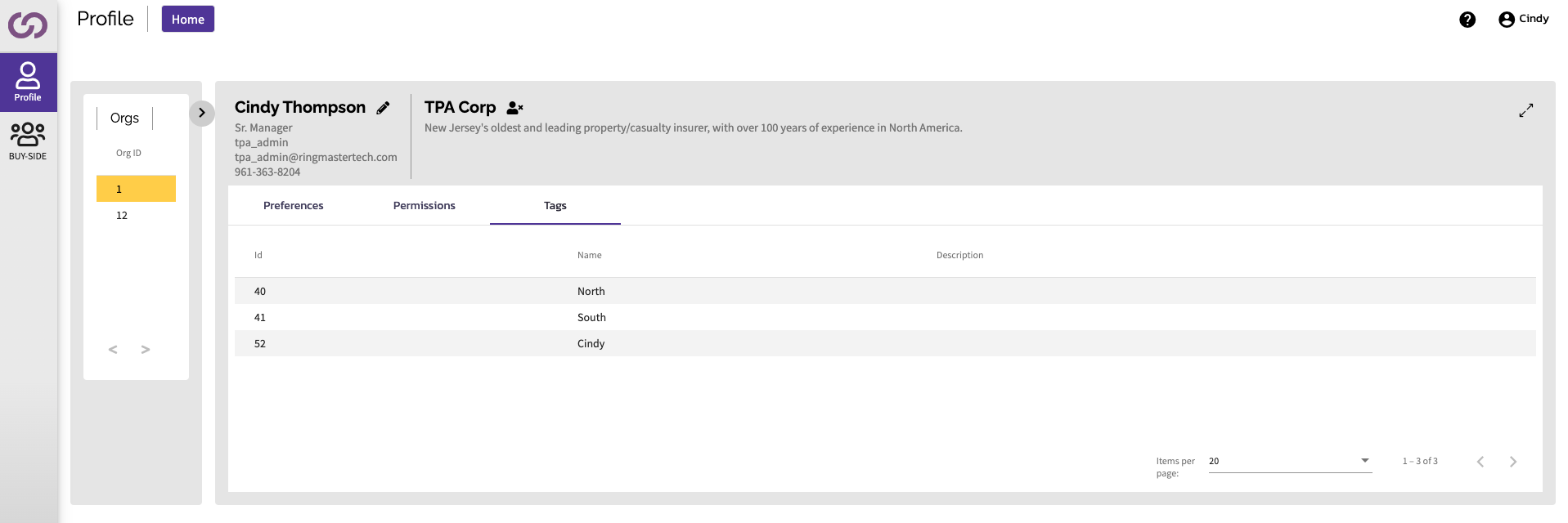
User Profile for Tags
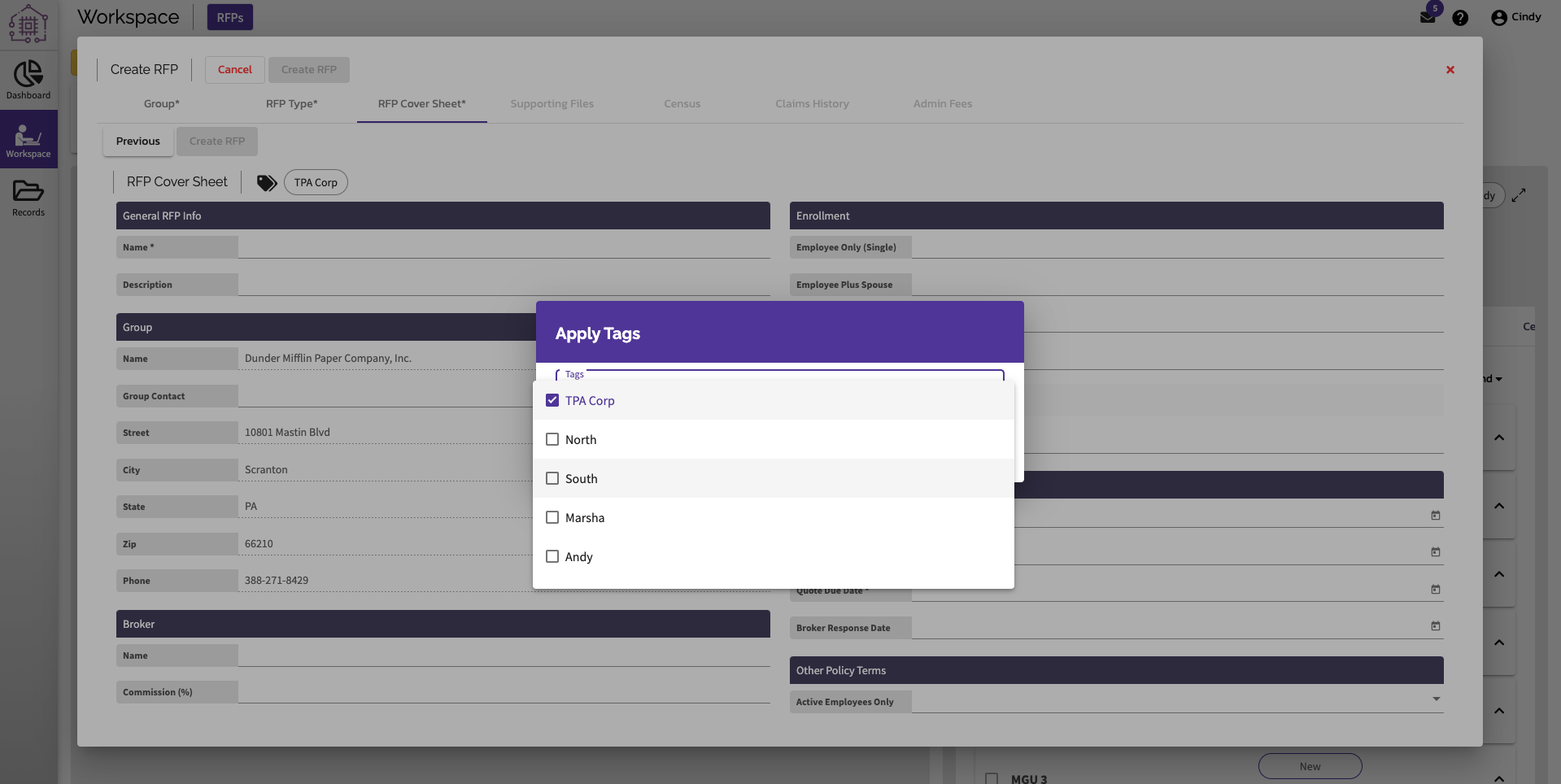
Apply Tags at RFP Creation
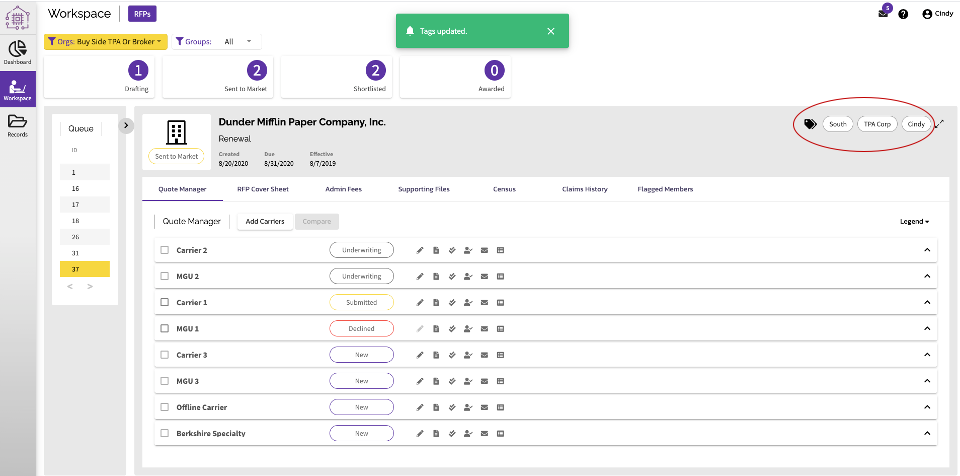
Manage Tags on Active RFP / Quote
Comments
0 comments
Please sign in to leave a comment.