
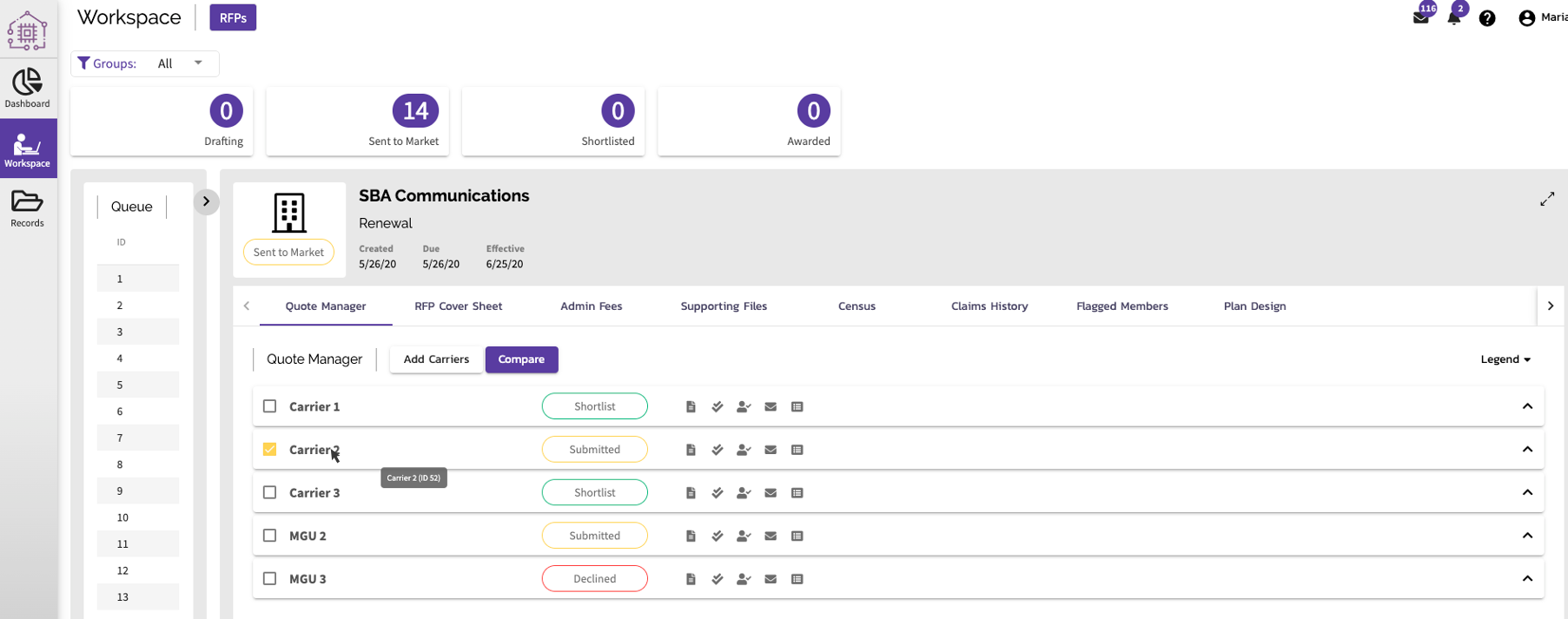
Step 1 - Identify the Quote Response ID
- Hover your curser over the Carrier / MGU name in the Quote Manager
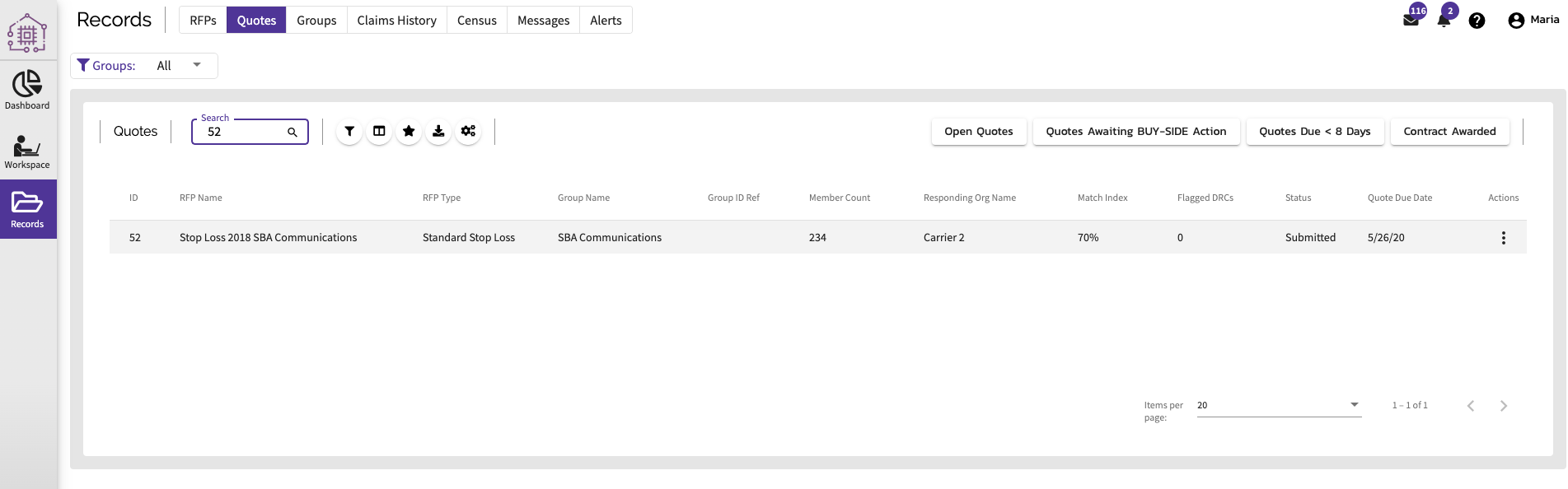
Step 2 - Go to Records, then the sub-menu Quotes
- Type in the Quote Request ID in the search bar to find the specific record
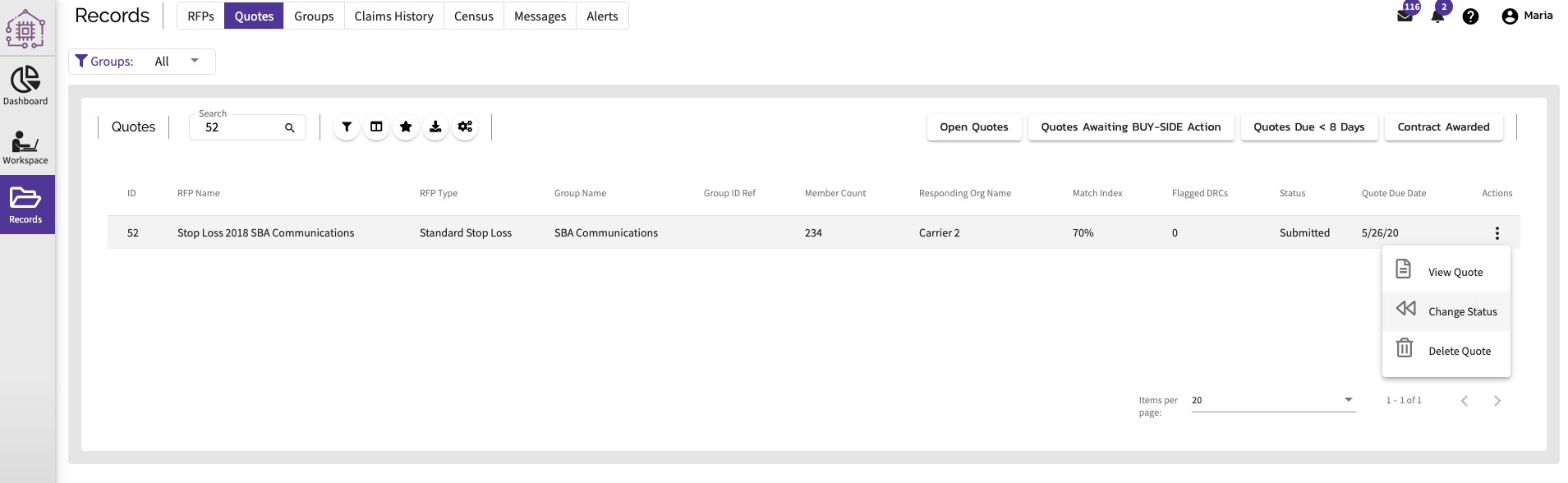
Step 3 - Click on the Actions menu on the far right of the Quote Response record
- A submenu will appear. Choose "Change Status"
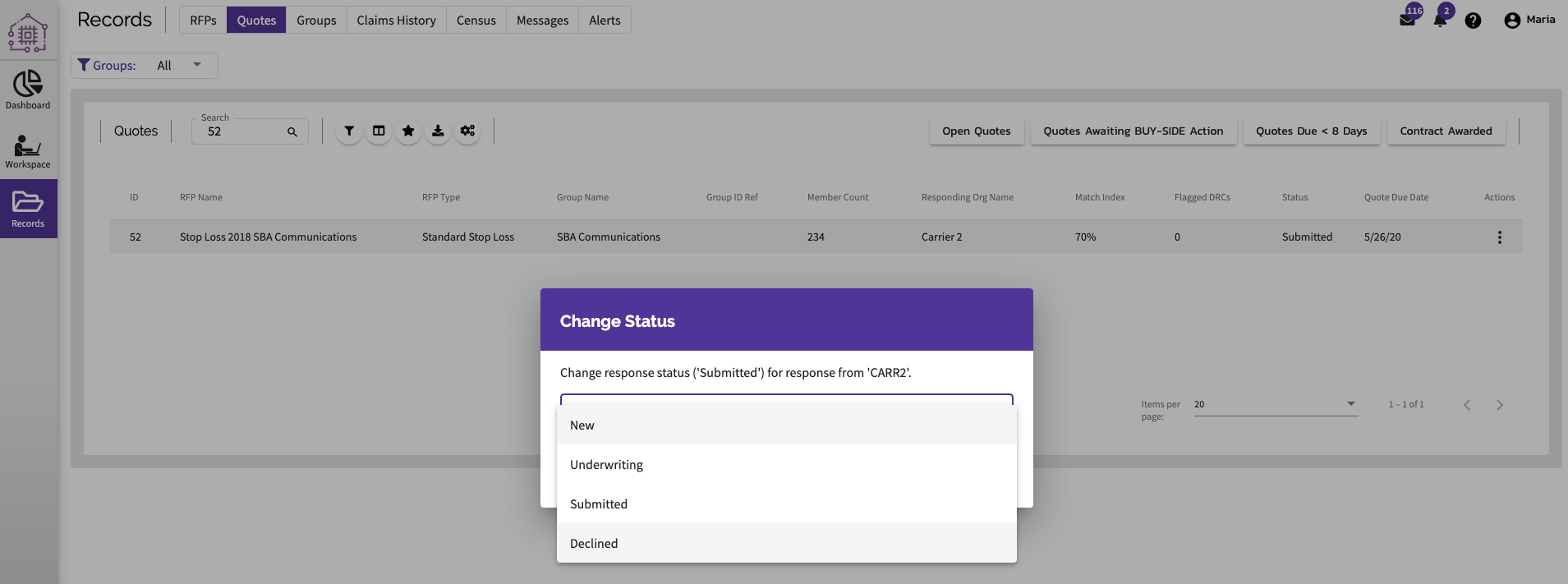
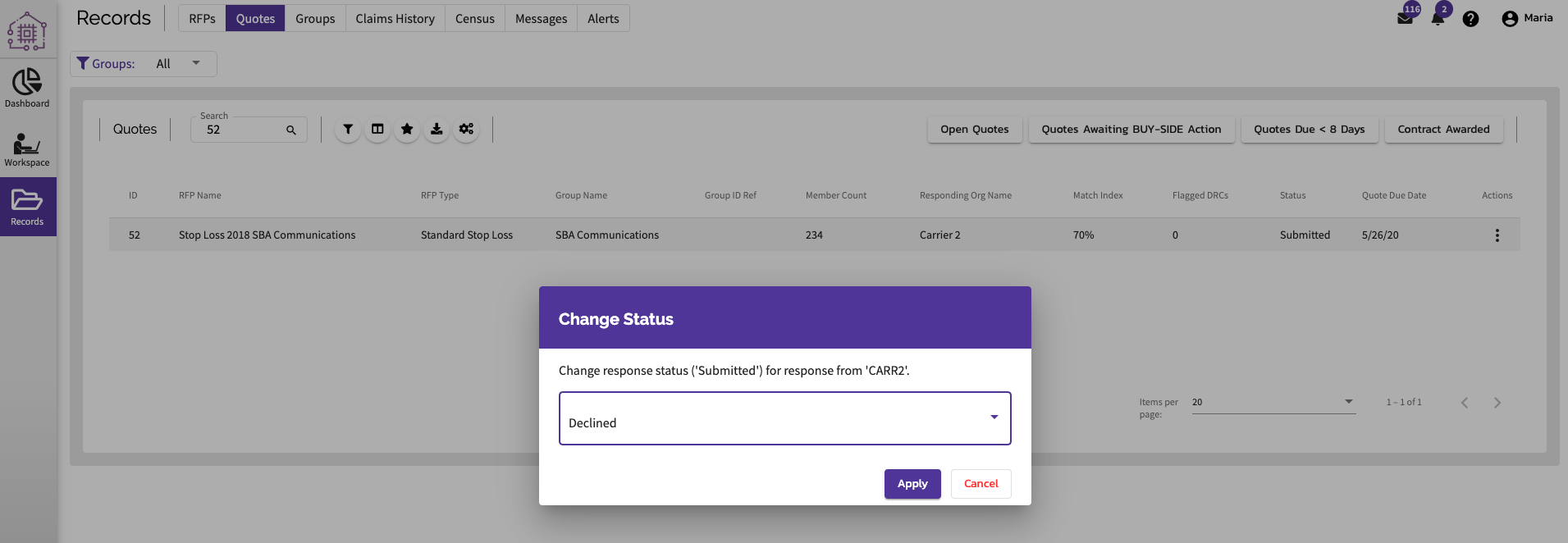
Step 4 - Hit apply to the desired status change.
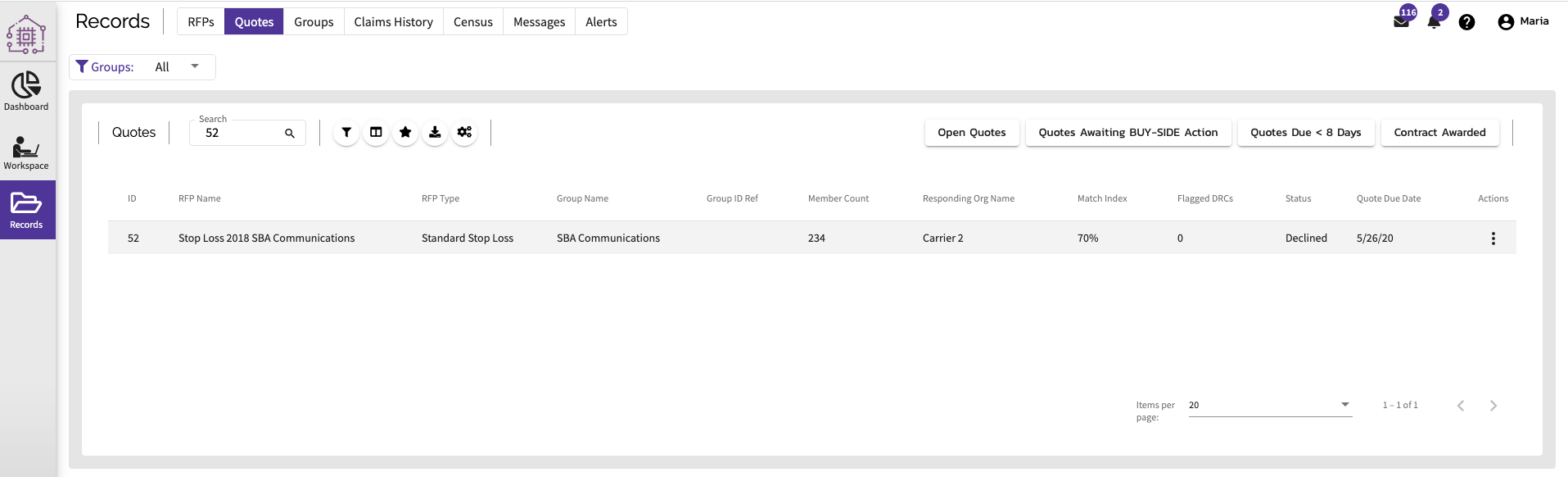
- The Quote Response will be updated as intended.
Comments
0 comments
Article is closed for comments.