
Coming JANUARY 2022
Provide Smart-LinQ users with default scheduled reports for active policies.
- Save users time from having to setup standard Stop-Loss report schedules:
- Aggregate Report
- Individual Specific Analysis
- Trigger Report
- Allow managers to edit the report parameters.
Policy Details
The system scheduled reports can be viewed by all and edited by Managers/System Admins under Policy Details, Report Schedules
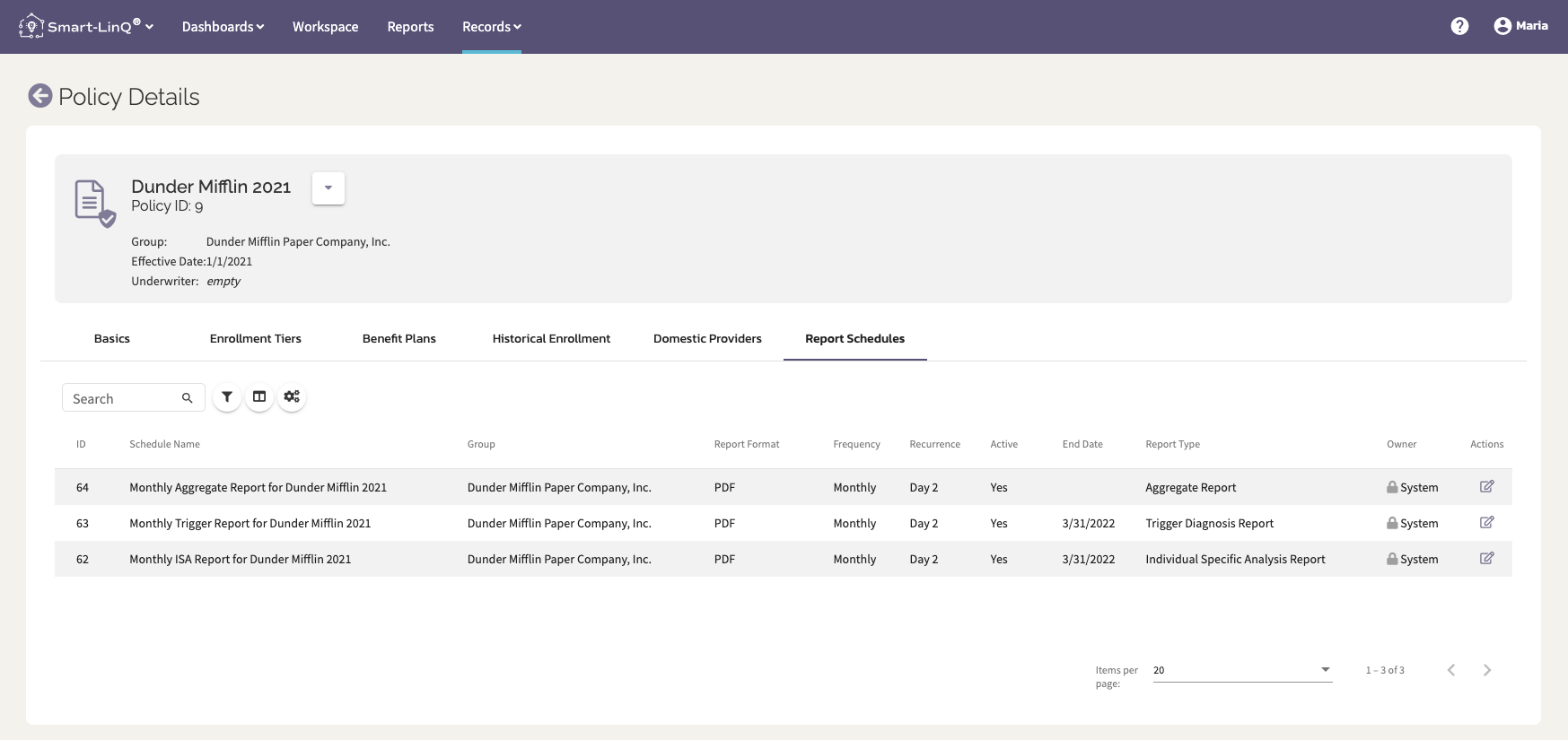
These reports default to the following settings:
- PDF (Aggregate and ISA), EXCEL (Trigger)
- Generate the 2nd of every month
- The schedule will end 3 months past the policy expiration date
- All org users that are Managers will be default recipients
System Schedules
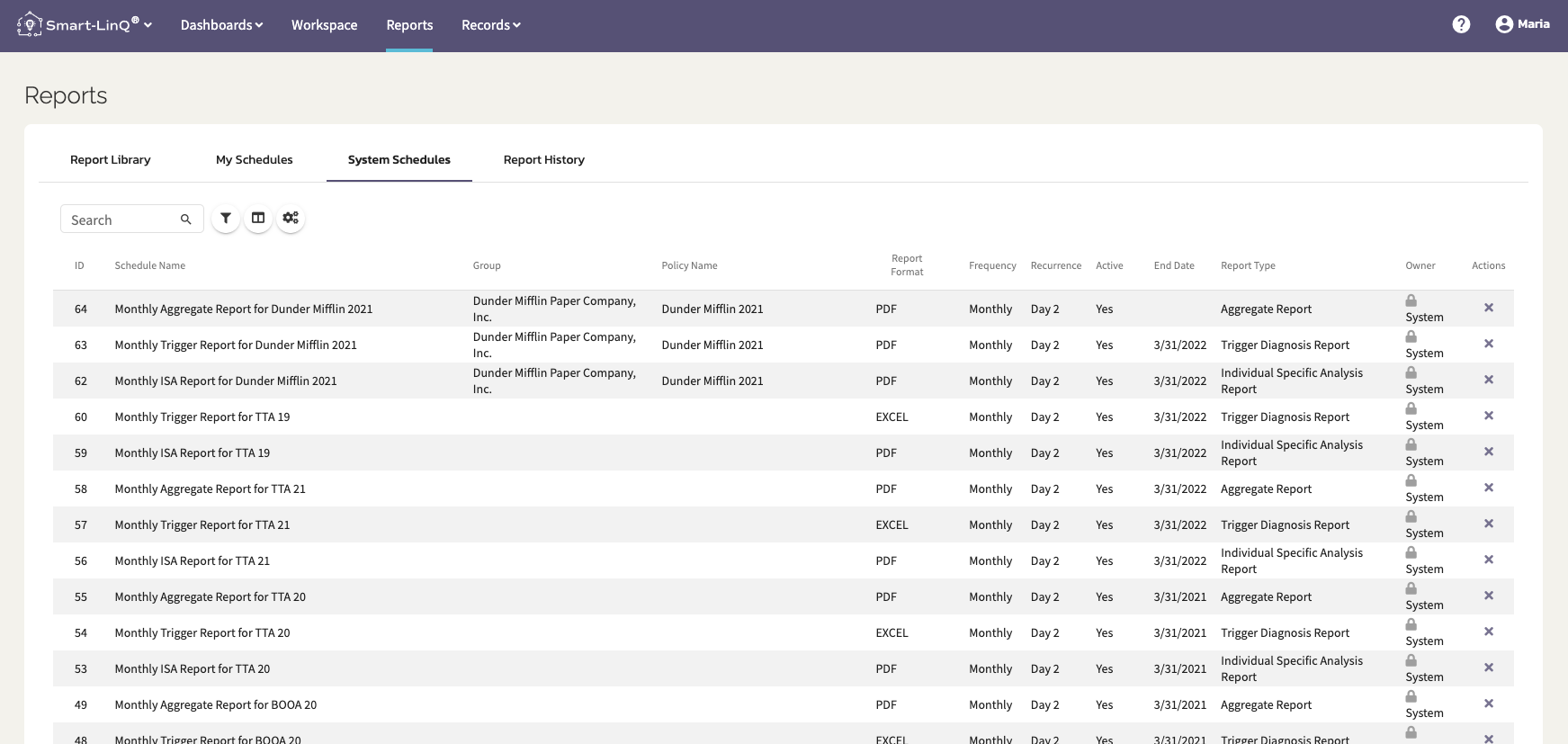
All Smart-LinQ TPA users will have a System Schedules tab in their Reports section. This will list every system schedule report, its parameters and wether you are a recipient or not. Note that these schedules will not appear under My Schedules.
Any reports generated via System Schedule will be retrievable from the Report History tab.
Comments
0 comments
Please sign in to leave a comment.