
Coming JANUARY 2022
Provide Smart-LinQ users with the ability to schedule recurring.
- Create a schedule for a desired report
- Setup schedule parameters including (i.e. frequency, recurrence, format etc.) and report parameters (i.e. group, policy, etc.)
- Add users from your organization as recipients
- Manage ongoing report schedules
Report Library
Each report has a Run Report (on-demand) and a Schedule Report option. The Schedule report button will walk a userthrough the setup of a schedule. Note that all users that belong to an organization will have access to this feature. This includes:
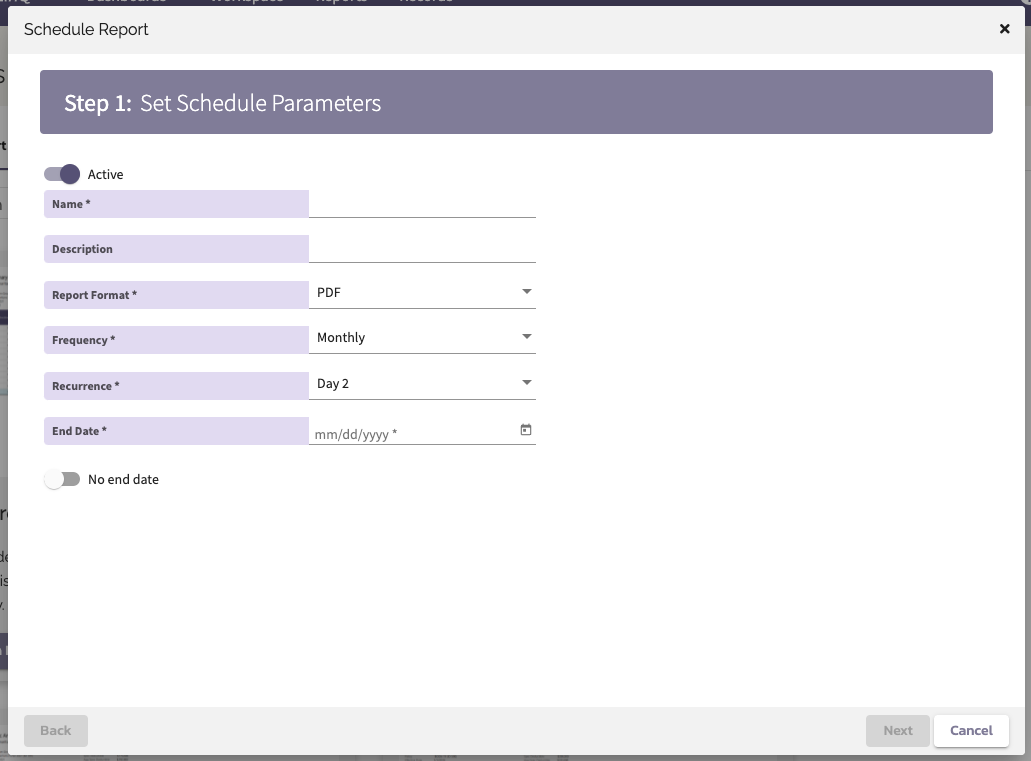
Step 1 Schedule Parameters:
- Schedule Name - This is required and will be used to differentiate the schedules for end users
- Description - This is an optional field that provides a place for more context
- Report Format - This will default to PDF when available then XLS
- Frequency - This will default to Daily
- Recurrence - Is required when the frequency is Weekly or Monthly
- End Date - Fill out the desired end date of the schedule or toggle on the "No End Date"
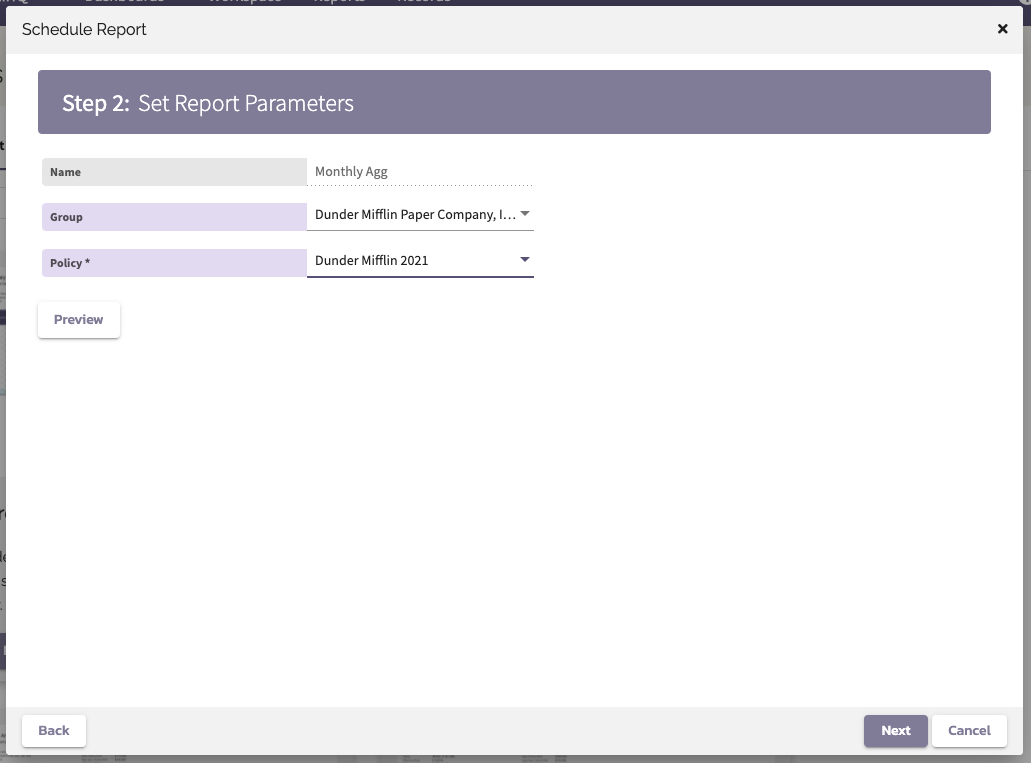
Step 2 Report Parameters:
These parameters are specific to each report.
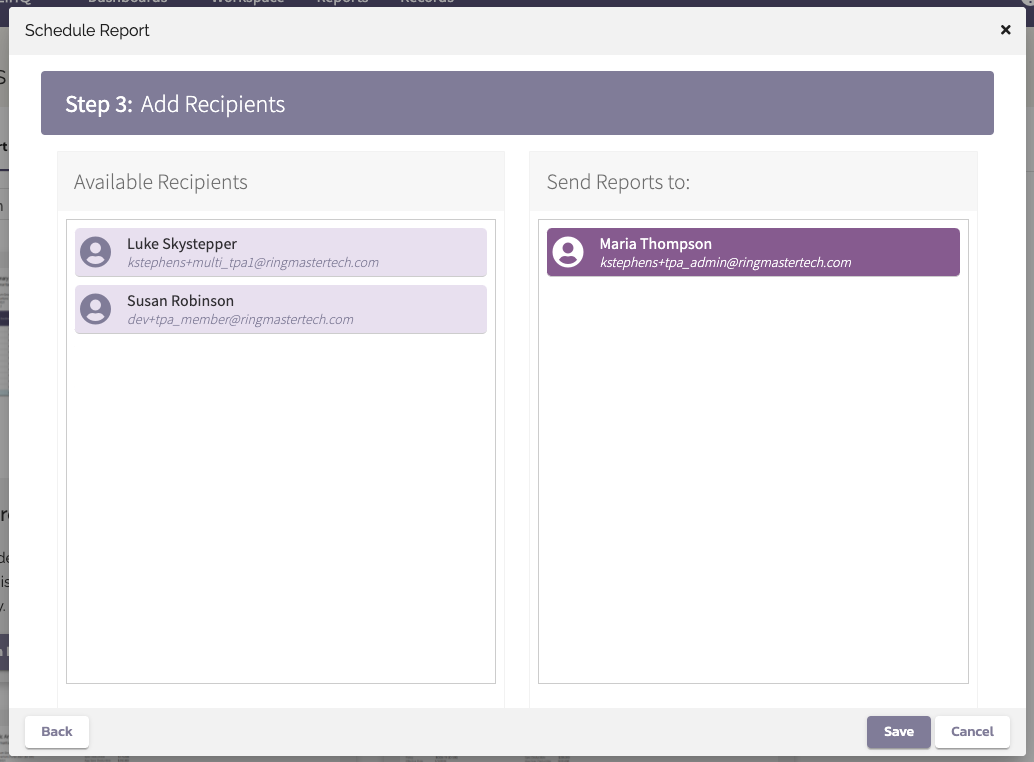
Step 3 Add Recipients:
A list of users from the organization can be dragged into the "Send Reports to:" pane on the right.
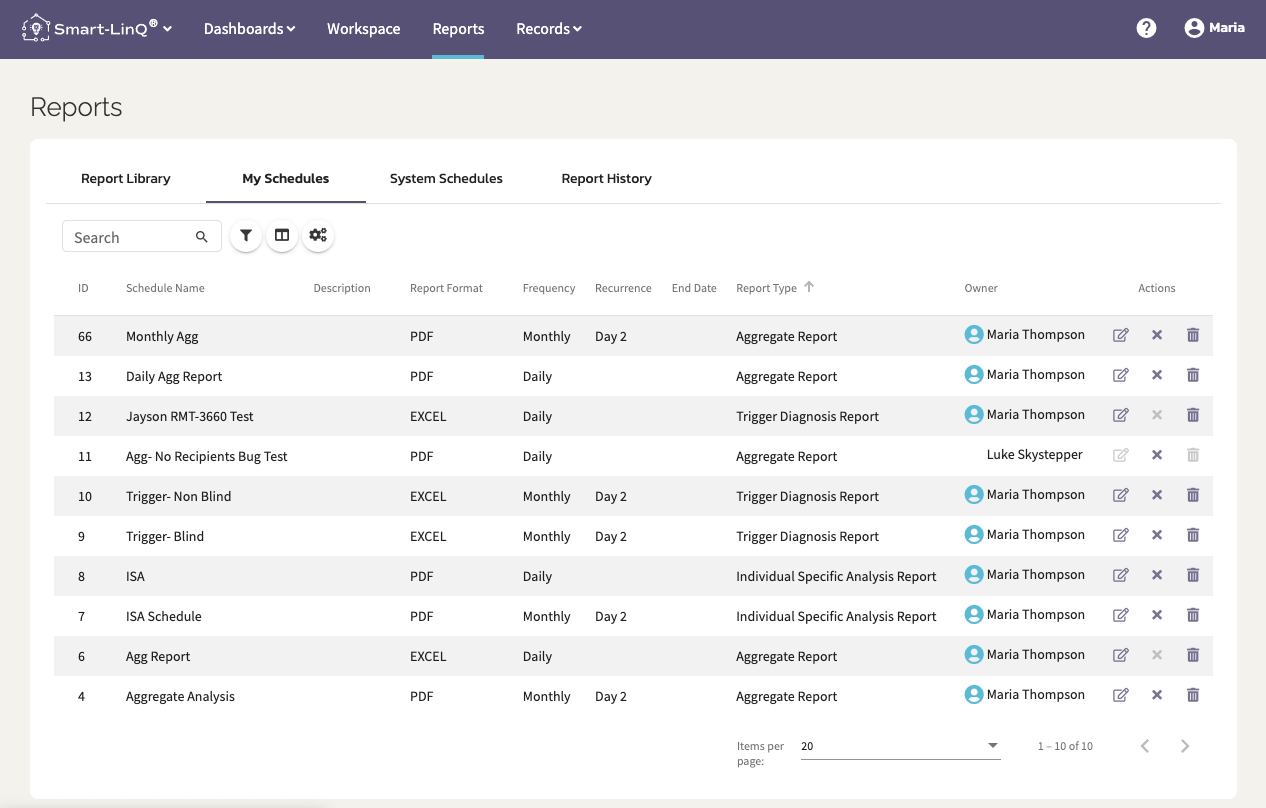
My Schedules
Your report schedules will be listed under the My Schedules tab. If you are the Owner (creator) of the schedule then you will have the ability to:
- edit the schedule and report parameters
- change the recipients
- remove yourself from the schedule
- delete the schedule
If you are not the owner then you can only remove yourself from the schedule at which point it will disappear from your records.
Comments
0 comments
Please sign in to leave a comment.