
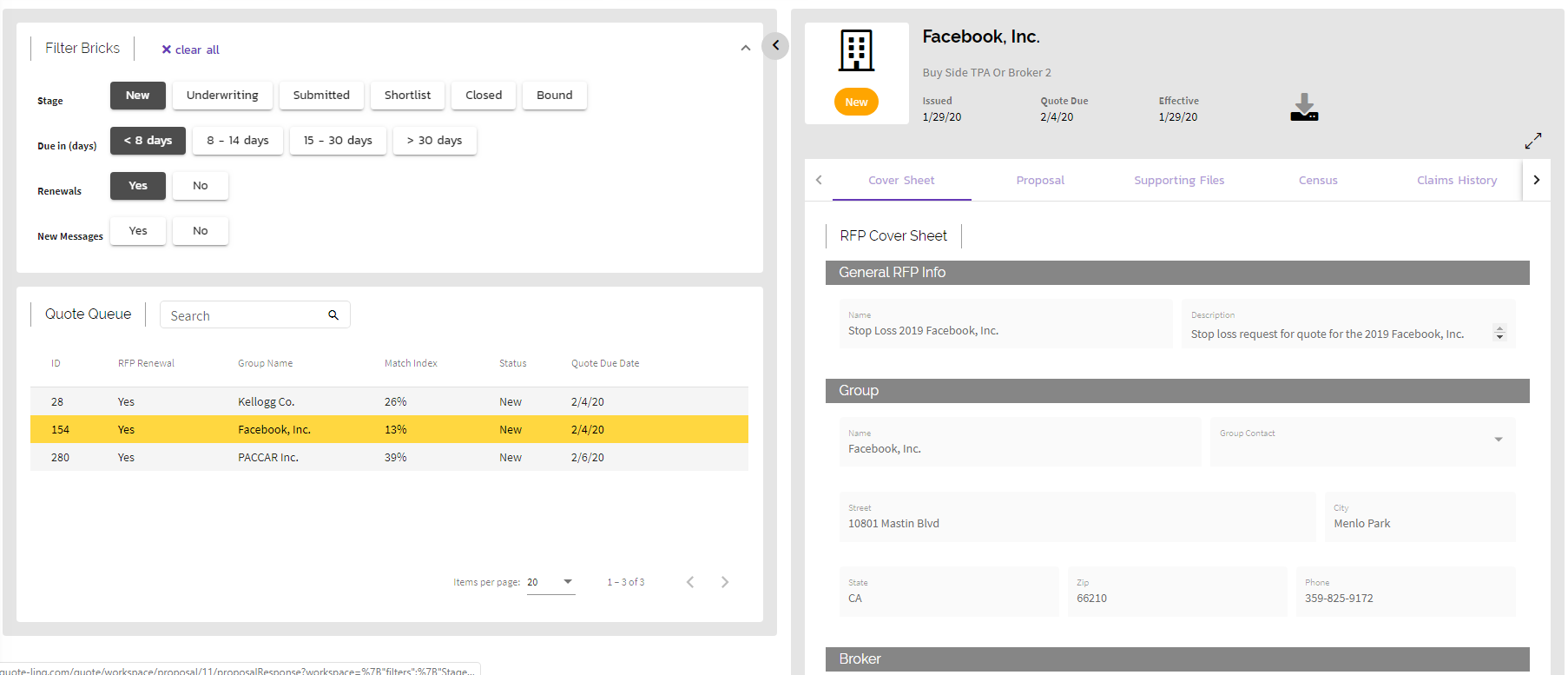
When an RFP comes in, the individual quote requests can be found in the Workspace section. The Workspace comes complete with a sortable and searchable queue to filter and choose which Quote Request to work on. The specific Quote Request will appear to the left in the expandable display card panel, where you're able to edit the proposal, download all relevant files, and alter the status of that request.
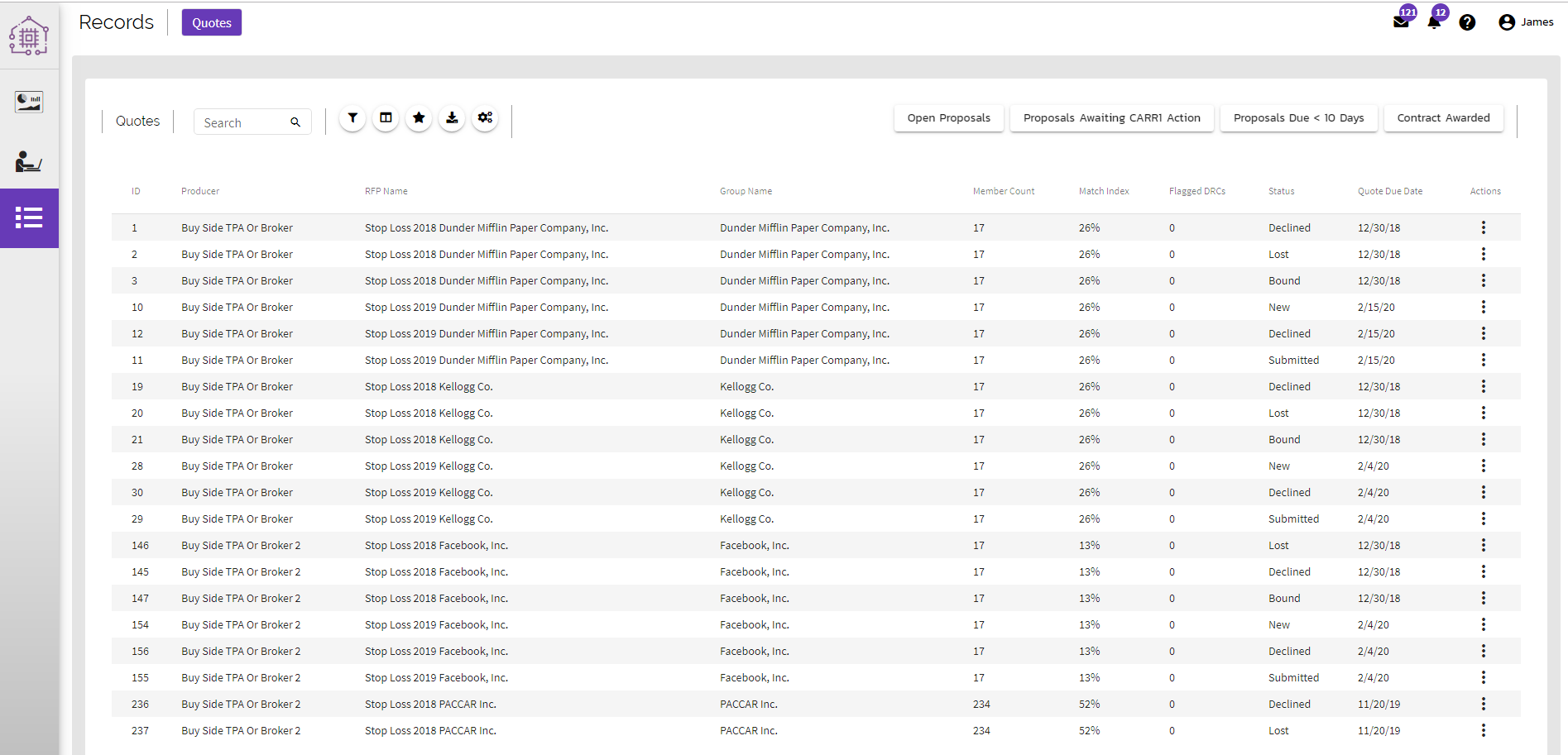
A master list of all individual Quotes can also be viewed under the records page. By choosing the action of "View Quote", the user will have access to the details of the bid. Here, the organization can edit details of the response, manage documentation and see a visual of all events that have occurred throughout the quoting process.
Comments
0 comments
Article is closed for comments.