
Configure members in a Stop-Loss policy for automated lasers as well as contingency lasers.
By setting up a laser or contingency laser the system will automatically update the Spec Deductible for that individual. A laser will be implemented immediately and a contingency laser will trigger an updated deductible when there is a Diagnosis Code and or a NDC Code match in the member's claims history.
Note that if a Spec Deductible changes via a laser mid-policy, all of the filing calculations, receivables balances and filing audits will reflect this change.
Setup Lasers & Contingency Lasers
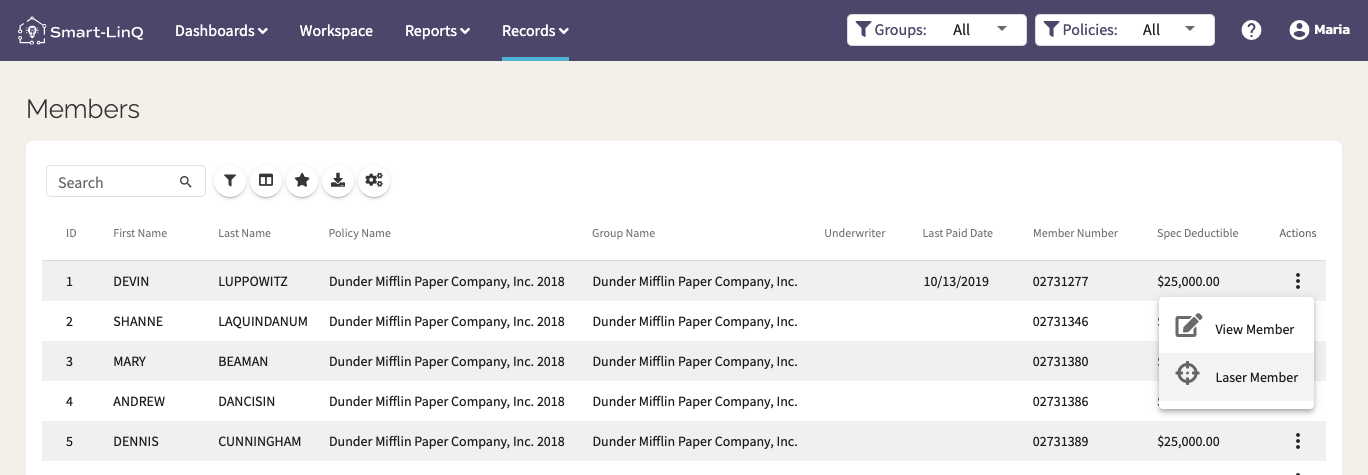
- Go to Records > Members
- Find the member you want to apply a laser to and click on the ellipsis on the far right.
- A modal will appear. Select "Laser Member" .
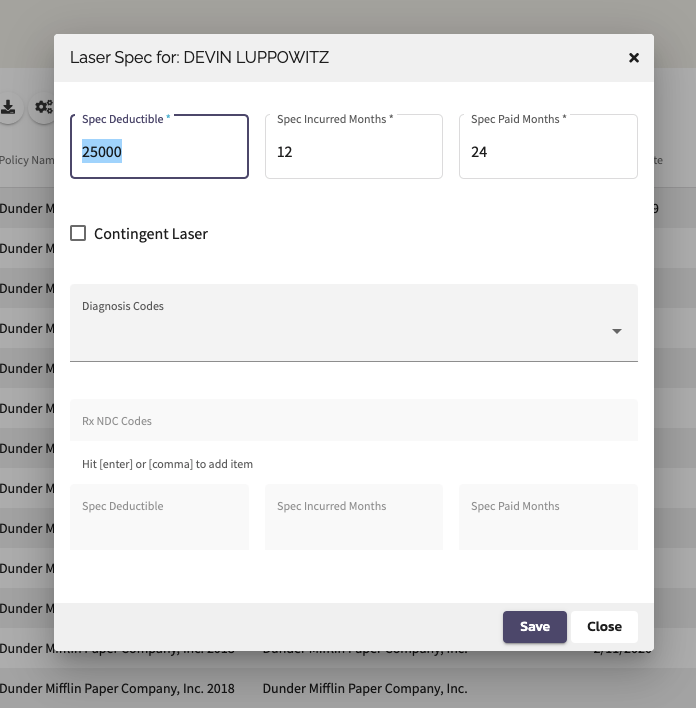
- A new Laser modal will appear.
- The current Spec Deductible will appear in the top row. Overwrite it with the laser amount (if desired).
- Note that the Paid and Incurred dates are for label purposes only and will not effect the application of claims to the member.
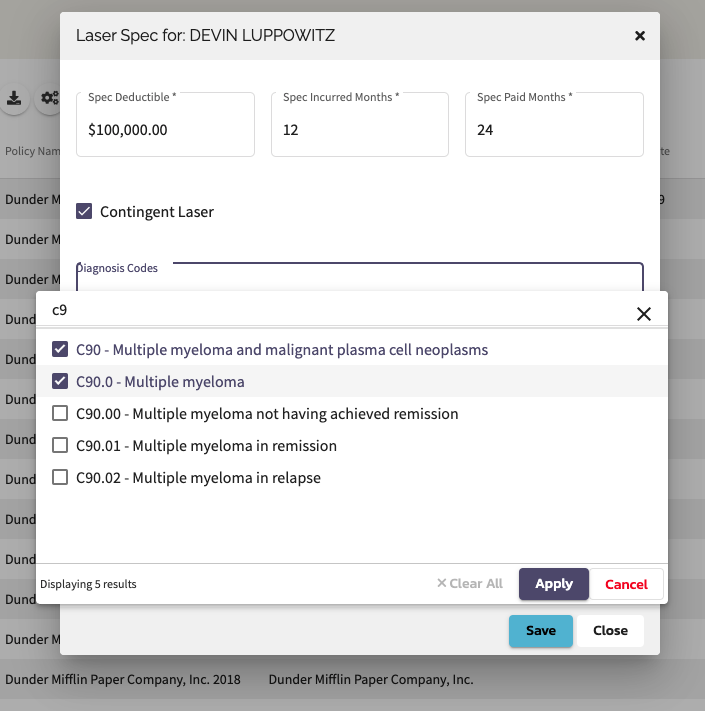
- Select the checkbox to activate a Contingent Laser
- Select your codes that trigger the laser:
- Diagnosis Codes from a drop down list
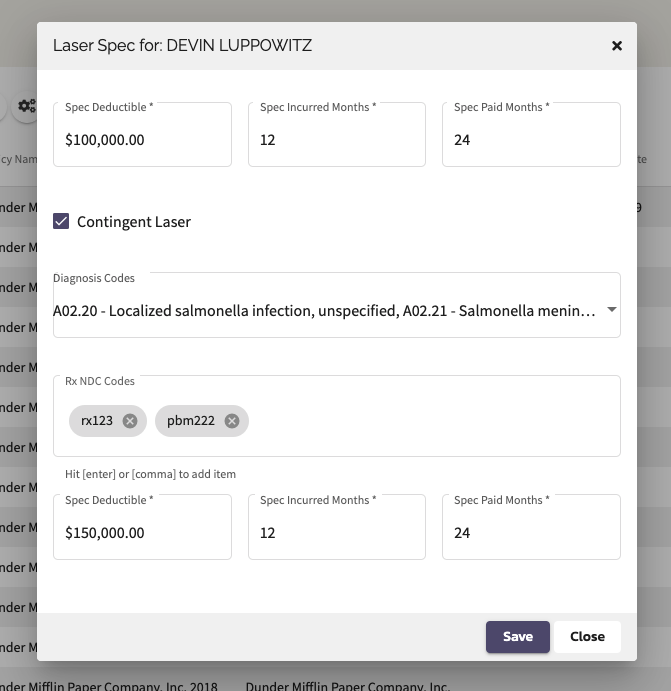
- NDC Codes are free form text entries that are looking for an exact match. Use enter or a comma to add items
- Add the Spec Deductible for the Contingency.
- Add the Incurred and Paid periods for the Contingency.
- Note that the Paid and Incurred dates are for label purposes only and will not effect the application of claims to the member.
- Hit Save to employ the changes.
Comments
0 comments
Please sign in to leave a comment.