
Coming JULY 2021
Provide clear communication to responders as to why Quotes are marked "Lost"
- Select from a predefined list of reasons when a Quote is marked as "Lost".
- Include addition details with the lost reason which is shared with the responder.
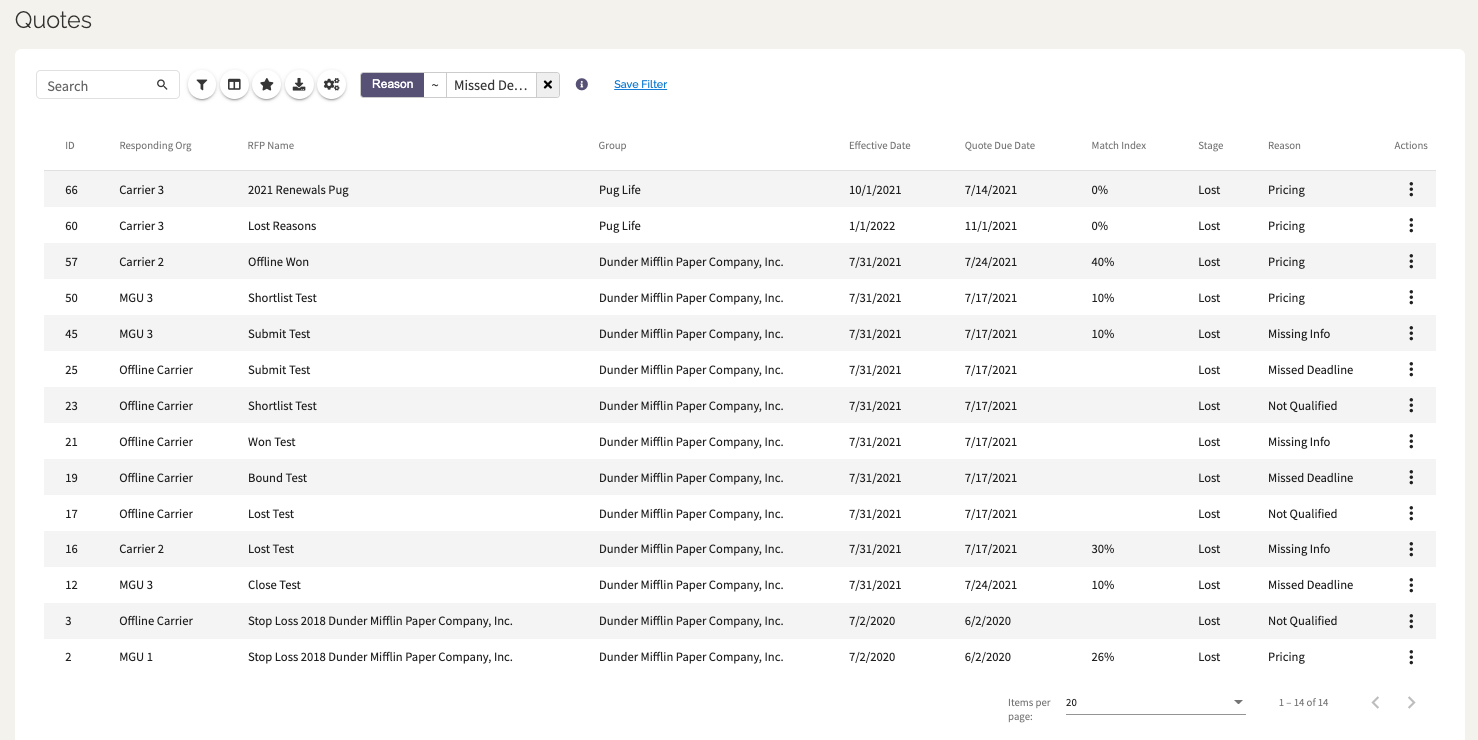
- View lost reasons in the Workspace and Quote Records
Ensure the winning option has accurate terms at "Won" & "Bound" stages
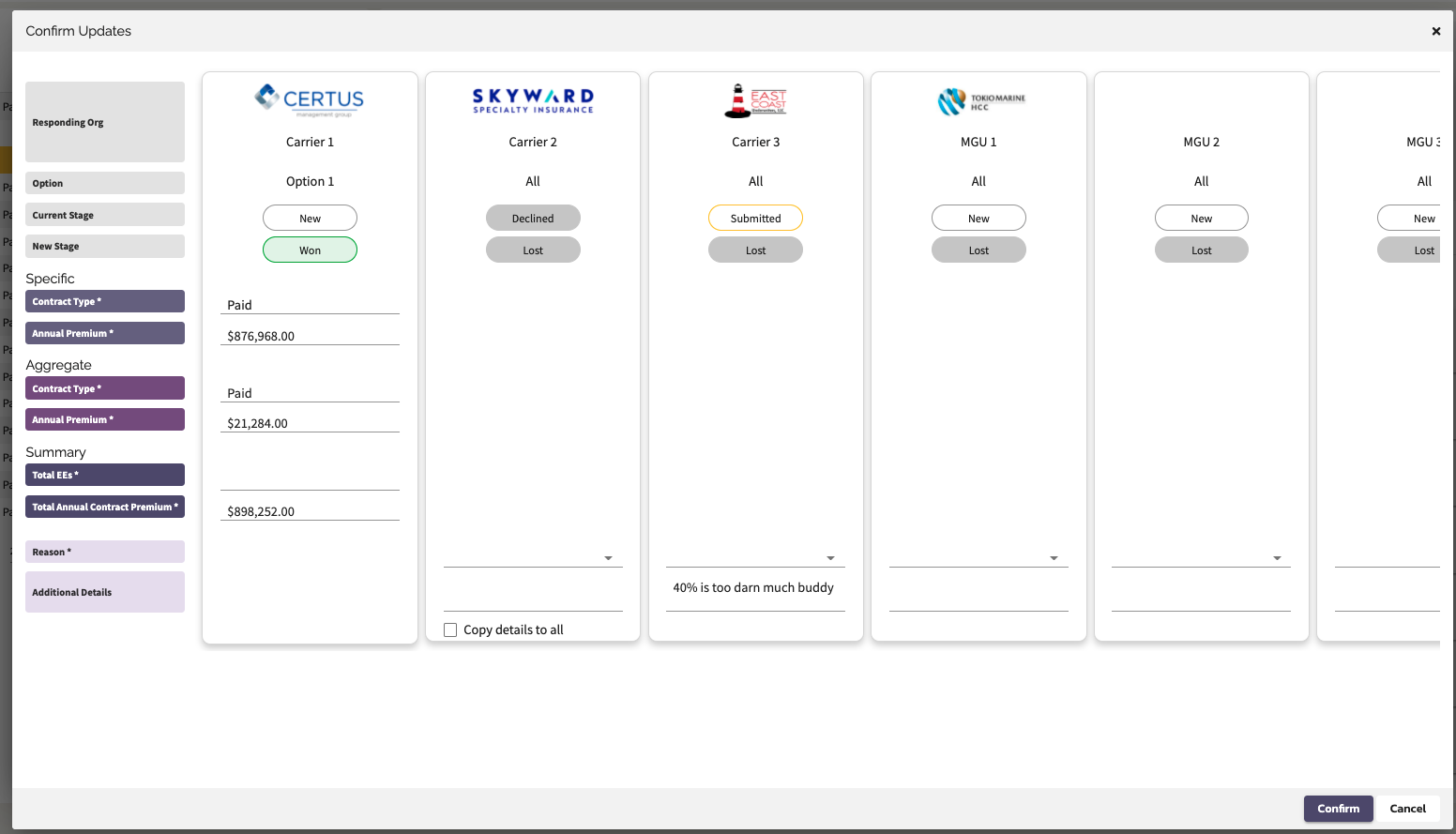
- When confirming an option as "Won", review and update the premium and enrollment terms.
- When moving an RFP to "Bound", review and update the premium and enrollment terms.
Enhance the user interface and experience in the RFP & Quote Workspace
- An enhanced confirmation screen that includes responder logos
- A friendlier display card header in the Workspace
- The addition of a bulk action button in the Quote Manager
- Streamlined the stage workflow on the Proposal Options
Require a Final Proposal upon Bound
- Remove the requirement that the responder must add a Contract document before moving from "Won" to "Bound"
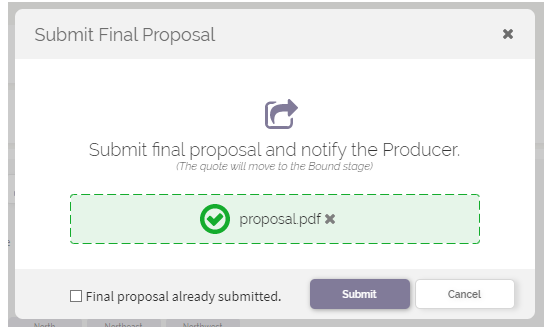
- Require the responder to provide a Final Proposal when moving a Quote Response to "Bound".
What's Changing
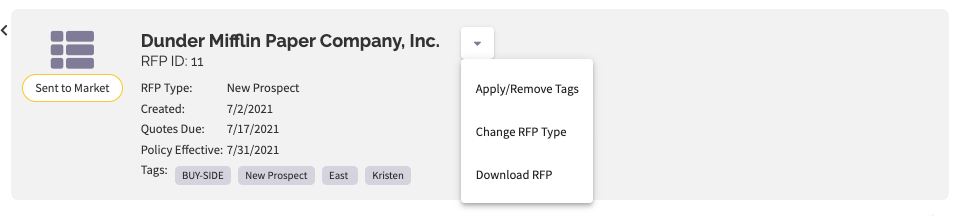
Workspace Display Card Header
Users will notice a subtle change to the styling and organization of information in the display card header in the Workspace. Functionally not much has changed other than a little re-organization of actions.
The RFP display card header dropdown button now houses:
- Apply/Remove Tags
- Change RFP Type
- Download RFP
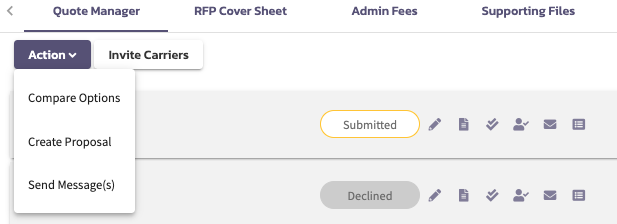
A new Action button in the Quote Manager houses:
- Compare Options
- Create Proposal
- Send Message(s)
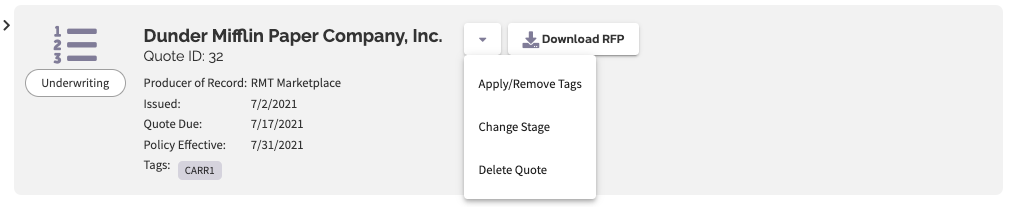
The Quote Response display card header dropdown button now houses:
- Apply/Remove Tags
- Change Stage
- Delete Quote (System Admin Only)
In addition this new display card header has been added to the offline carriers Quote details screen for consistency.
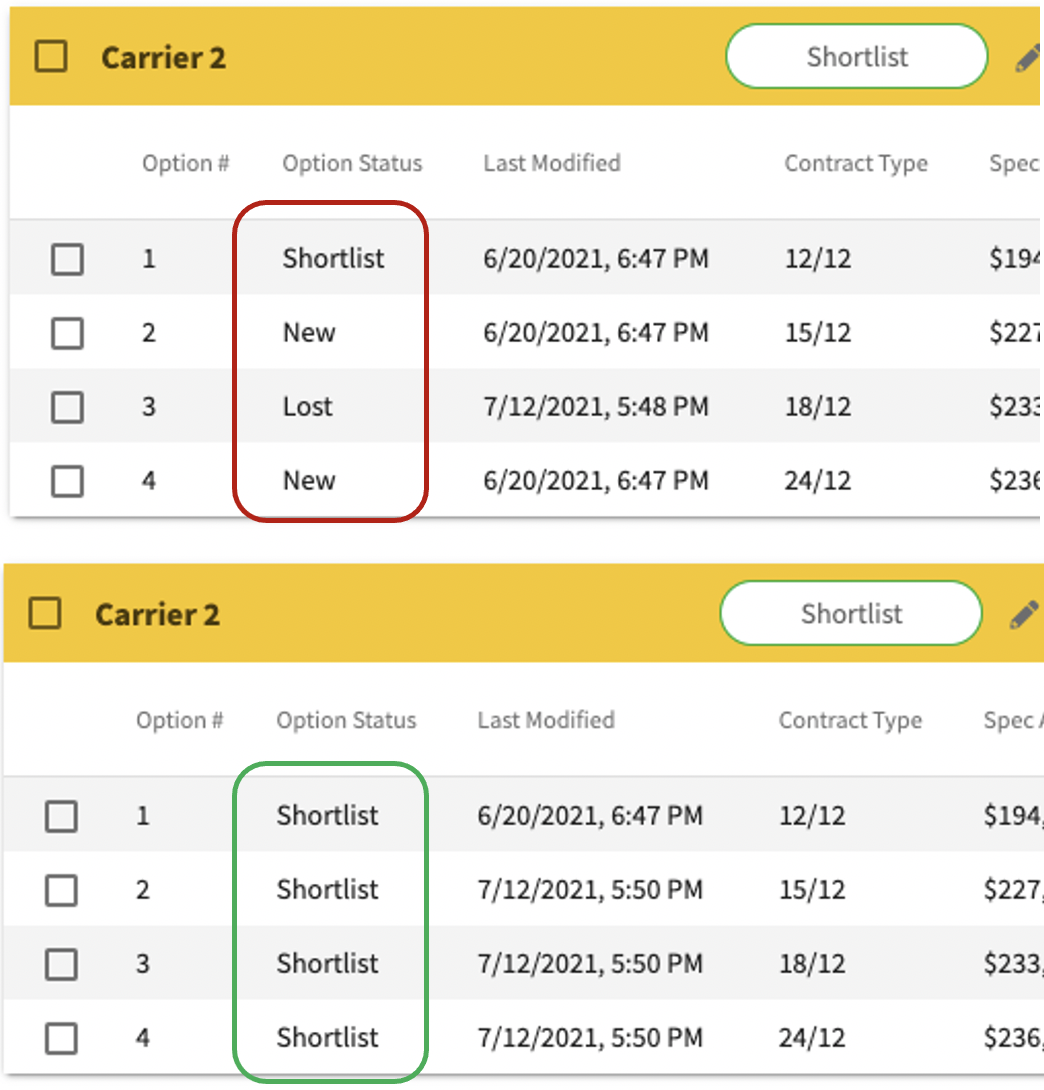
Stage Changes at the Option
By paying attention to our users we've learned that the Proposal Options don't need to support different stages at the same time. This level of precision drives unnecessary training and work. With this release, all of the Proposal Options will be moved to the same stage when any Option is updated. The only exception is "Won" and "Bound" which will continue to be specific to a single Option.
Lost Reasons
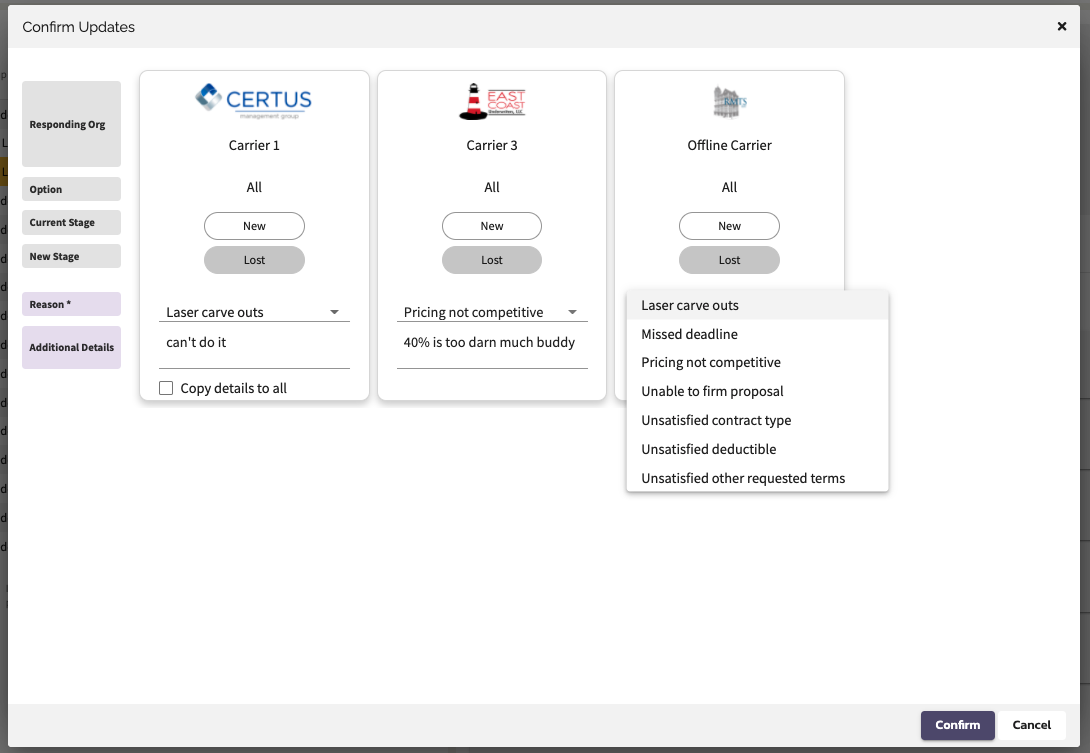
When a Quote Response is marked "Lost", the user will be required to select from a list of reasons and may also provide additional details. This information will be displayed for both the issuing and responding parties for analysis and reporting. Note that users will only have access to reasons for their organizations RFP or Quote Response respectively.
Add Reasons
Won Terms
When confirming an option as "Won", review and update the premium and enrollment terms. This will update the Option values and be reflected on the Sold Sheet "Won" audit event.
View / Edit Reasons
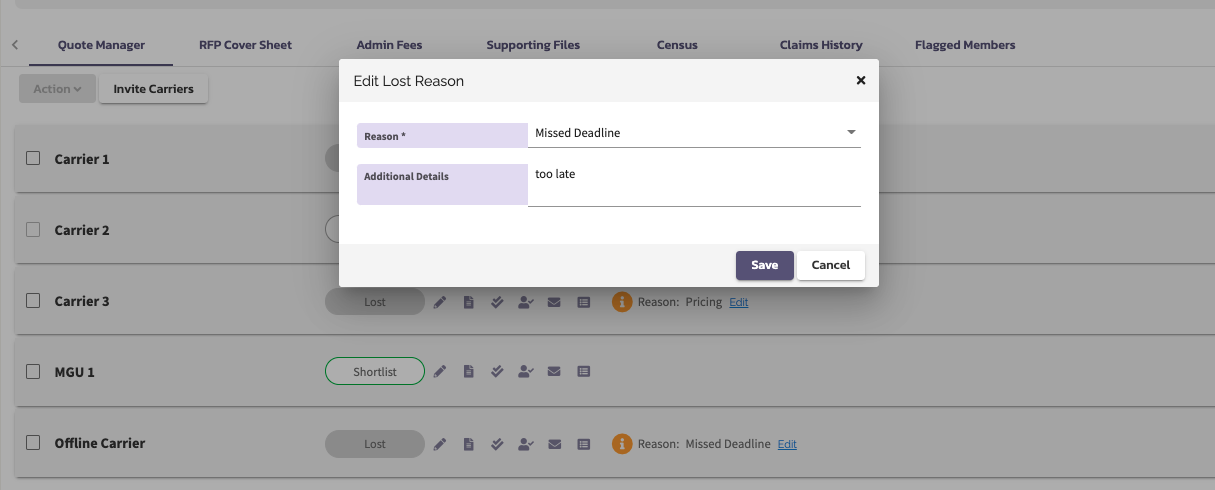
In the Quote Manager, the RFP issuer can view and edit Lost Reasons as long as the RFP is not Closed or Bound.
View, Filter & Download Reasons in Quote Records
Submit Final Proposal upon Bound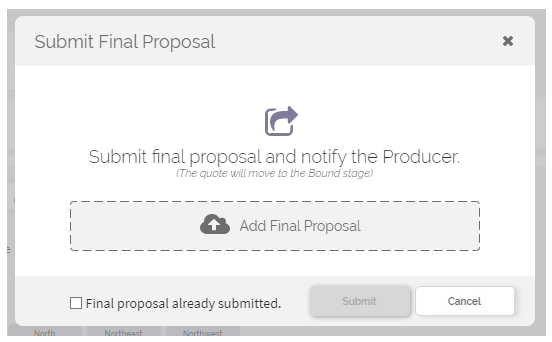
Comments
0 comments
Please sign in to leave a comment.