
Document Purpose
The following information is to help Buy-Side users get a lay of the land in Quote-LinQ and gain comfort as they begin to explore the platform.
The Quote to Contract Process
The Process
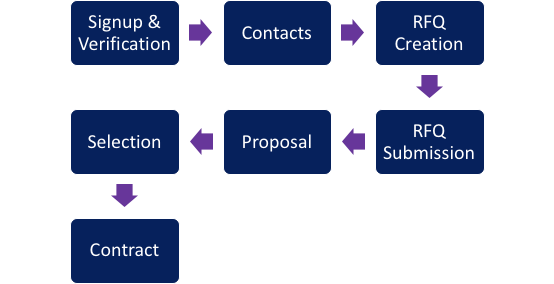
Signup & Verification
When you become a customer, you will be asked to go through the implementation process. This allows us to create your organization with the information important to you.
Contacts and Groups
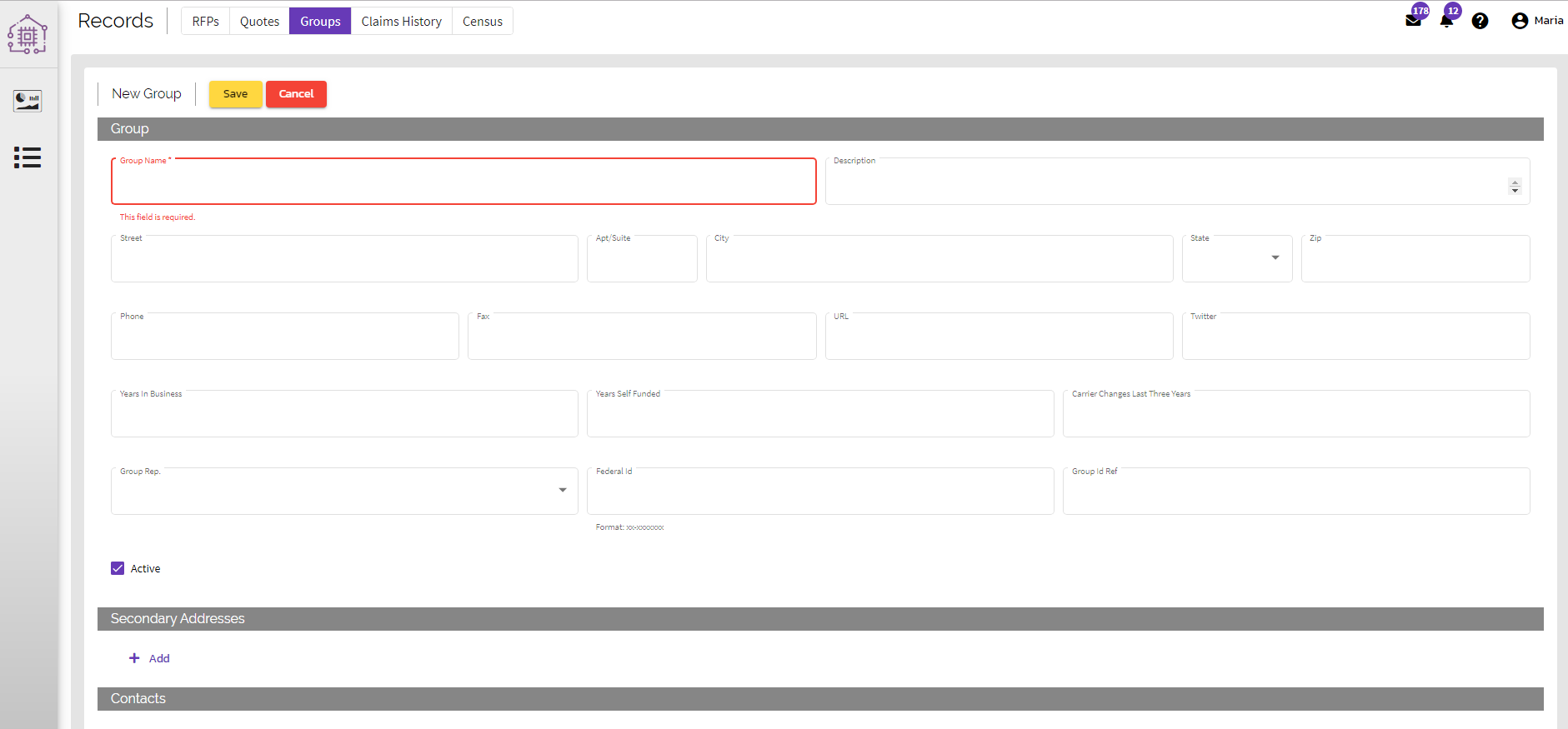
We will set up your organization by adding the members you want to have access to Quote-LinQ, linking all of your preferred carriers/MGUs, and adding your groups (if provided).
RFP Creation
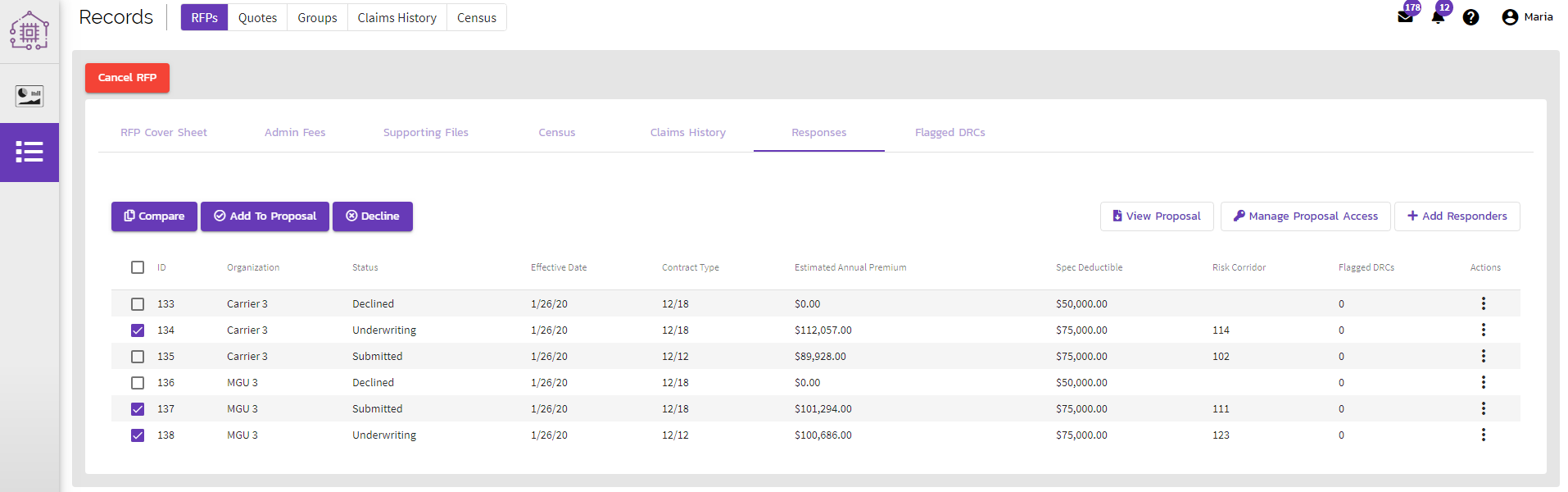
The Request for Proposal process is simple with Quote-LinQ. By selecting the Records page and hitting RFPs, from the horizontal navigation menu, your organization will easily move through the quoting process. Here, you can add documentation and details in a single pane of glass.
Proposal
Once you have a top bid or bids selected, you can add the chosen organizations to your proposal for review. Proposal templates are customizable, making it convenient to implement any of our analytics into your own.
Selection
You have presented your proposal and agreed upon an organization to win the bid! You can immediately alert the carrier/MGU of their victory, while also alerting the others of their loss - all with the click of a button.
Contract
Once the winning organization views the bid and accepts all conditions, the quote is contracted and frozen. This means supplemental information may not be added after agreed upon terms.
Comments
0 comments
Article is closed for comments.